More on Data Visualization

Dr. Sinem Demirci

January 31th, 2024

Data Visualizations

  • are graphical representations of data

  • use different colors, shapes, and the coordinate system to summarize data

  • can tell a story or can be useful for exploring data

(A quick note: I used some of Dr Dogucu’s materials to this class because I love them!)

Today’s Menu

  • Visualizing a Single Categorical Variable
  • Visualizing a Single Numeric Variable
  • Visualizing Two Categorical Variables
  • Visualizing One Categorical and One Numeric Variable
  • Visualizing Two Numeric Variables
  • Visualizing More than Two Variables

Visualizing a Single Categorical Variable

If you…


  • If you could speak to R in English, how would you tell R to make this plot for you?

OR

  • If you had the data and had to draw this bar plot by hand, what would you do?


Maybe…


- We could tell R something like…

  • Consider the data frame
  • Count number of mothers in each smoke
  • Put smoke on x-axis.
  • Put count on y-axis.
  • Draw the bars.


These ideas are all correct but some are not necessary in R

  • Consider the data frame
  • Count number of passengers in each smoke
  • Put smoke on x-axis.
  • Put count on y-axis.
  • Draw the bars.

R will do some of these steps by default.

Let’s Play with Babies Data

Let’s use our library(), data(), and glimpse()function to start.

library(openintro)
library(tidyverse)
data(babies)
glimpse(babies)

We need to learn the variables before proceeding.

# ?babies

case: id number

bwt: birth weight, in ounces

gestation: length of gestation, in days

parity: binary indicator for a first pregnancy (0 = first pregnancy)

age: mother’s age in years

height: mother’s height in inches

weight: mother’s weight in pounds

smoke: binary indicator for whether the mother smokes

3 Steps of Making a Basic ggplot()


  1. Pick data

  2. Map data onto aesthetics

  3. Add the geometric layer

Bar plot - Step 1 - Pick Data

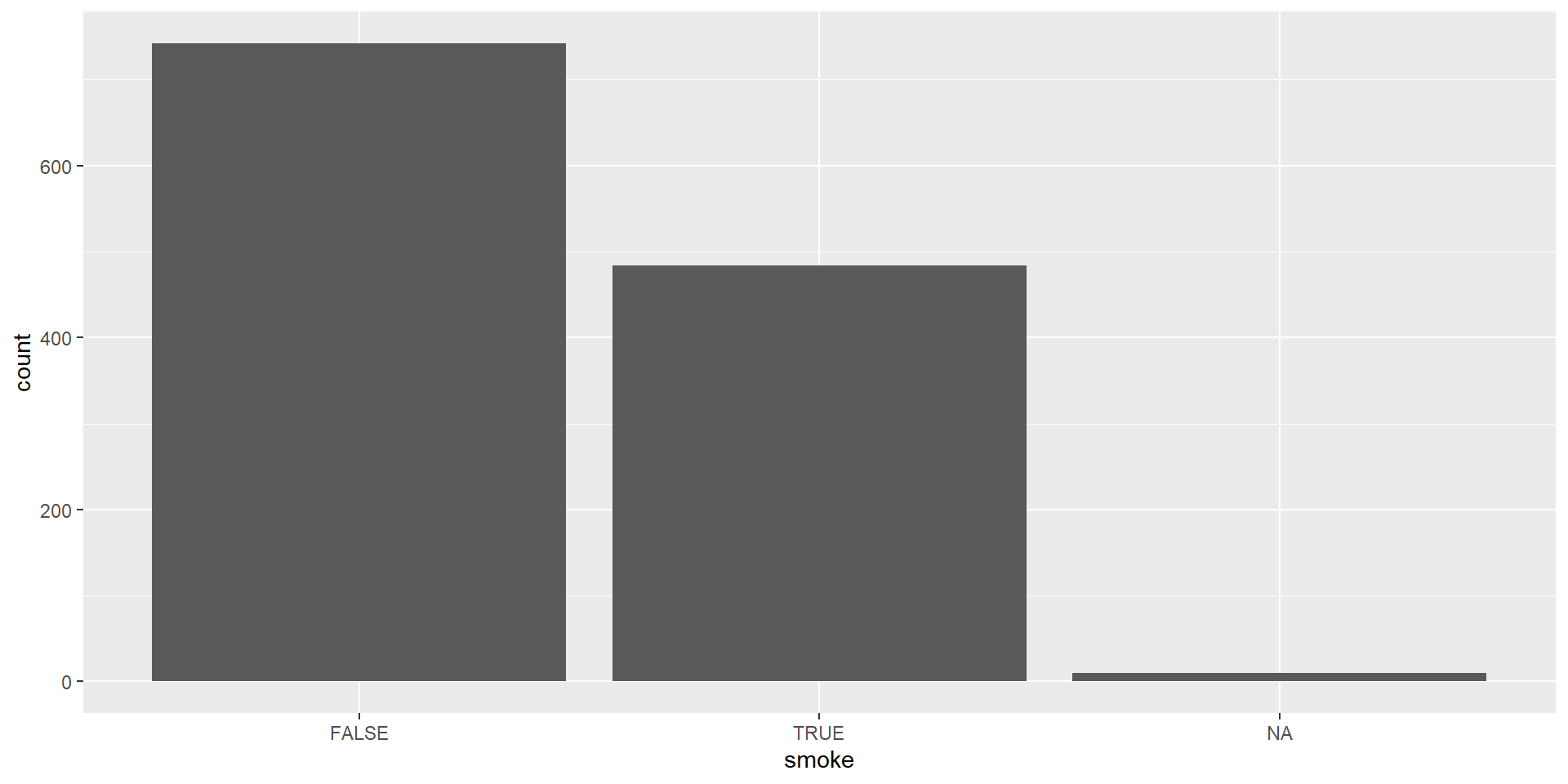
Let’s use smoke variable within babiesdataset which is a categorical variable indicating whether the mother smokes or not.

ggplot(data = babies)

Bar plot - Step 2 - Map Data to Aesthetics

Let’s use smoke variable within babiesdataset which is a categorical variable indicating whether the mother smokes or not.
ggplot(data = babies,
       aes(x = smoke)) 

Bar plot - Step 3 - Add the Geometric Layer

Let’s use smoke variable within babiesdataset which is a categorical variable indicating whether the mother smokes or not.
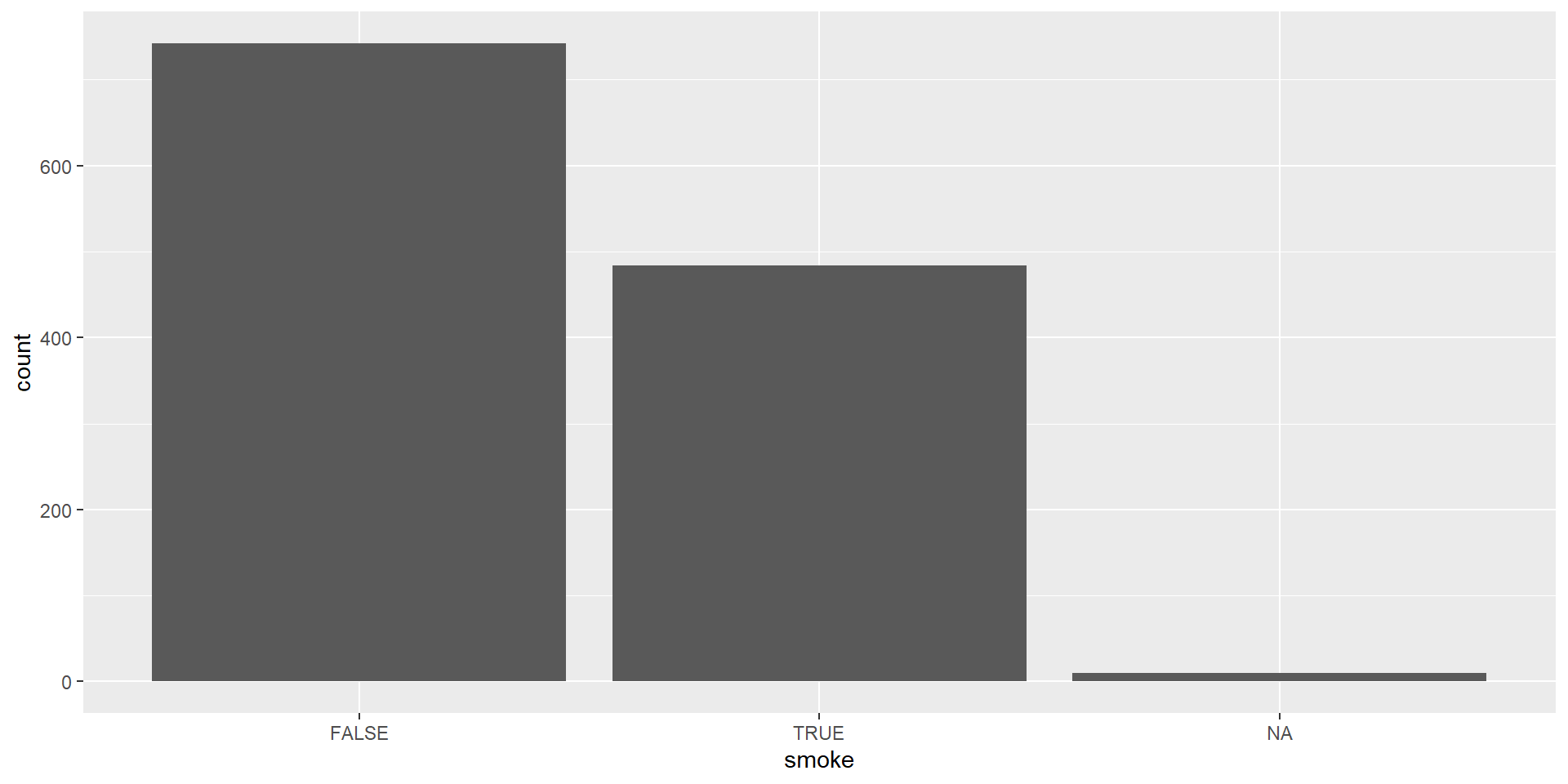
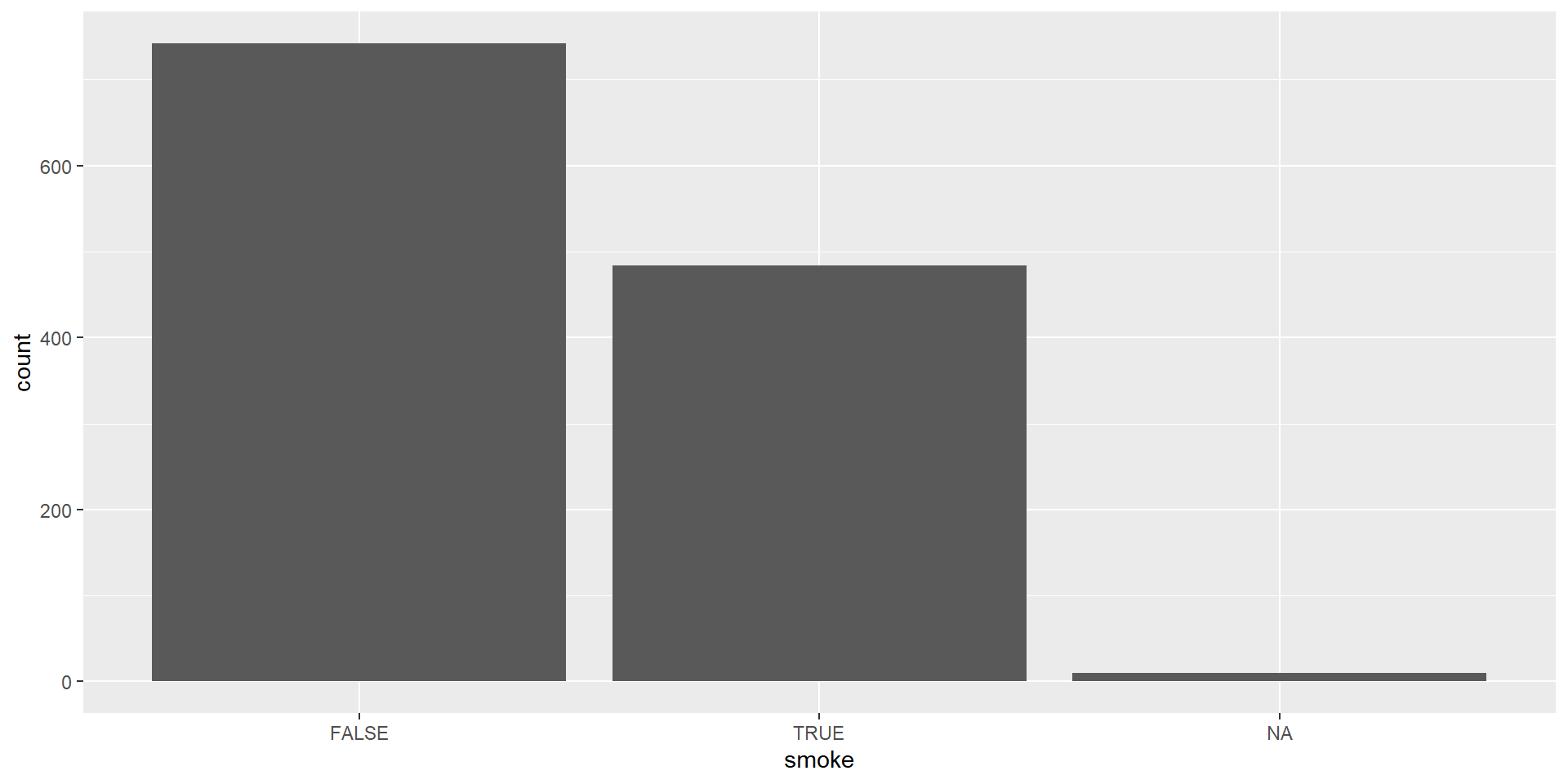
ggplot(data = babies, 
       aes(x = smoke)) +
  geom_bar()


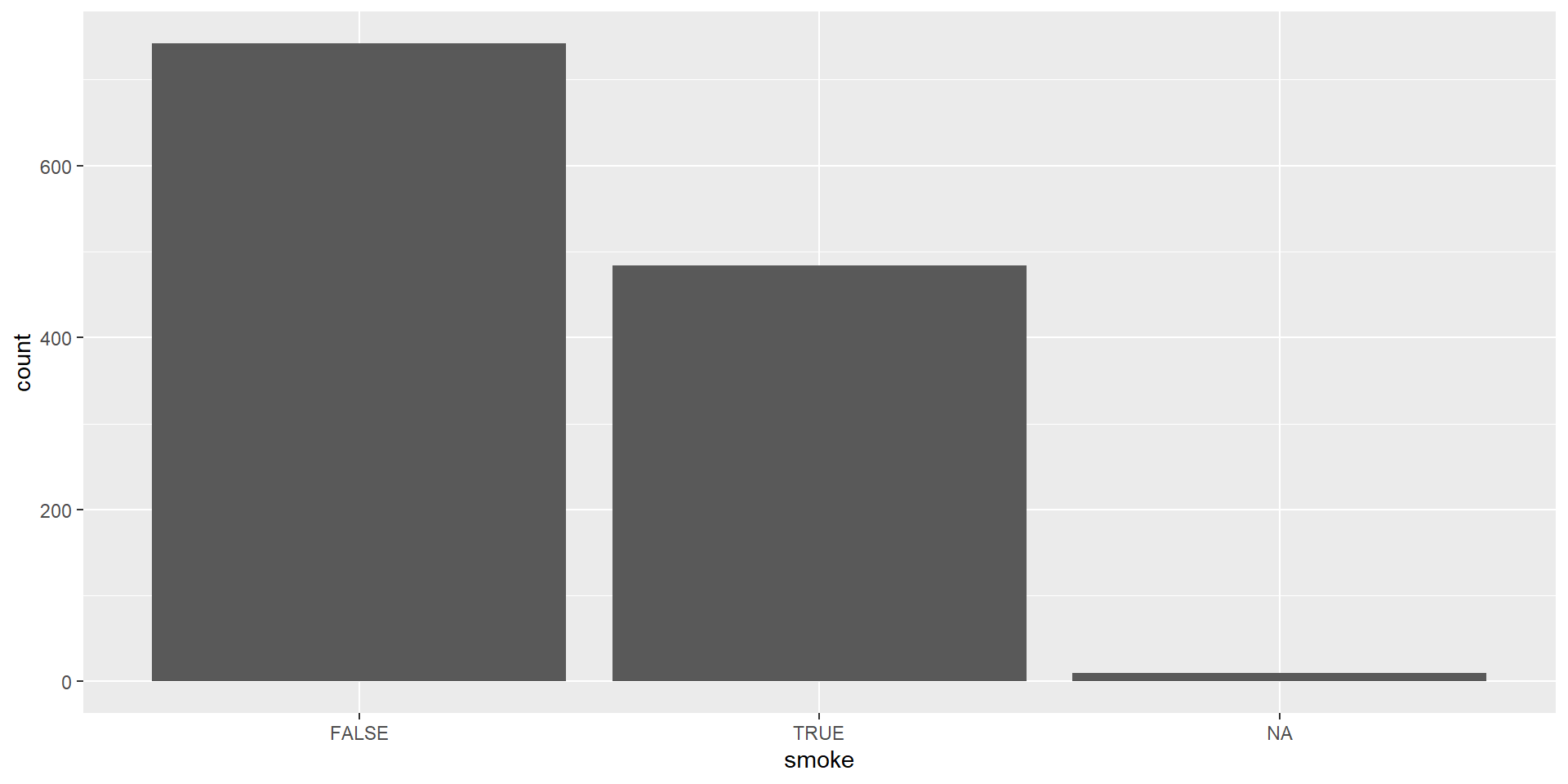
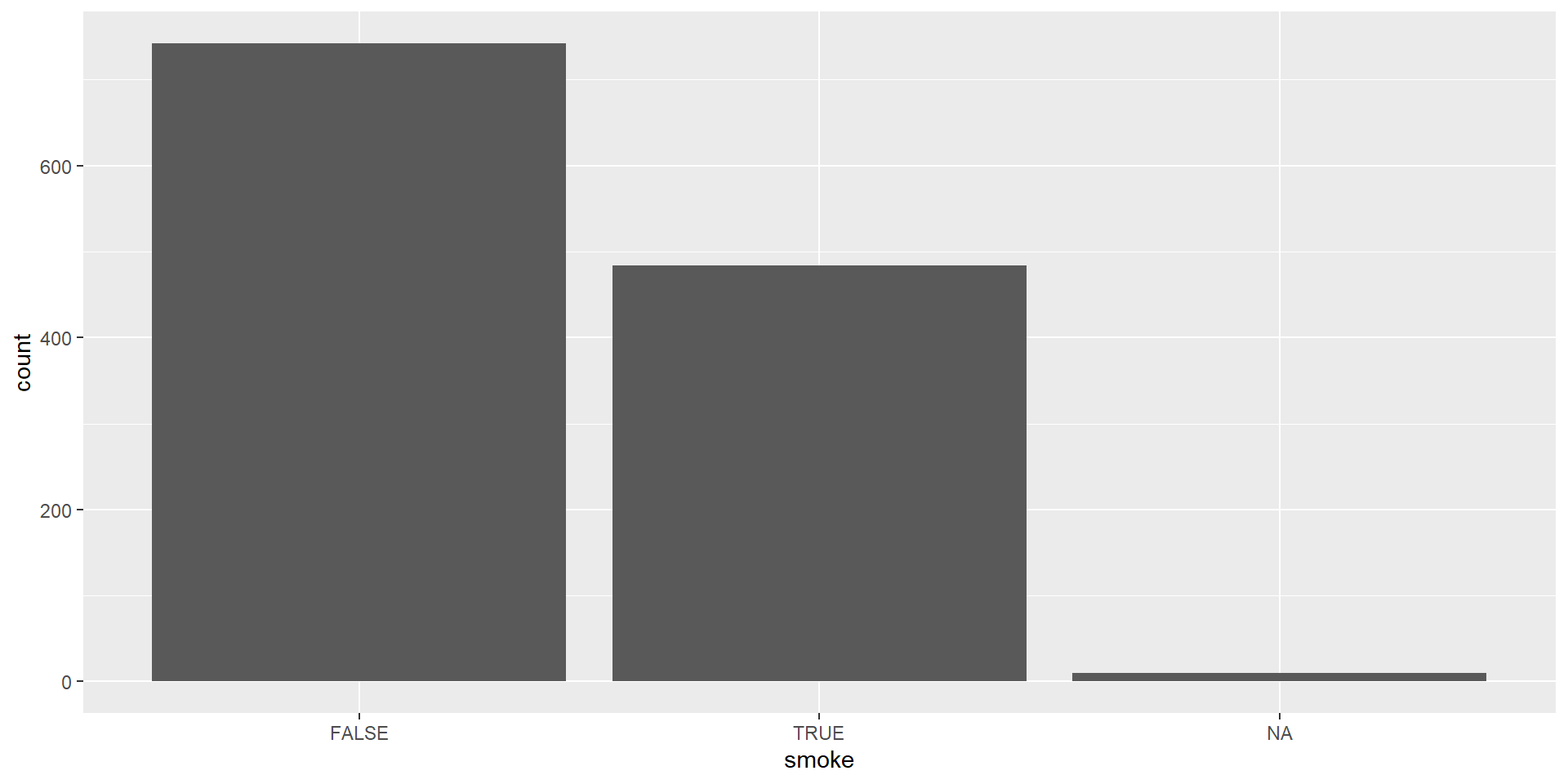
  • Create a ggplot using the babies data frame.
  • Map the smoke to the x-axis.
  • Add a layer of a bar plot.


ggplot(data = babies, 
       aes(x = smoke)) +
  geom_bar()

Visualizing a Single Numeric Variable

Histogram

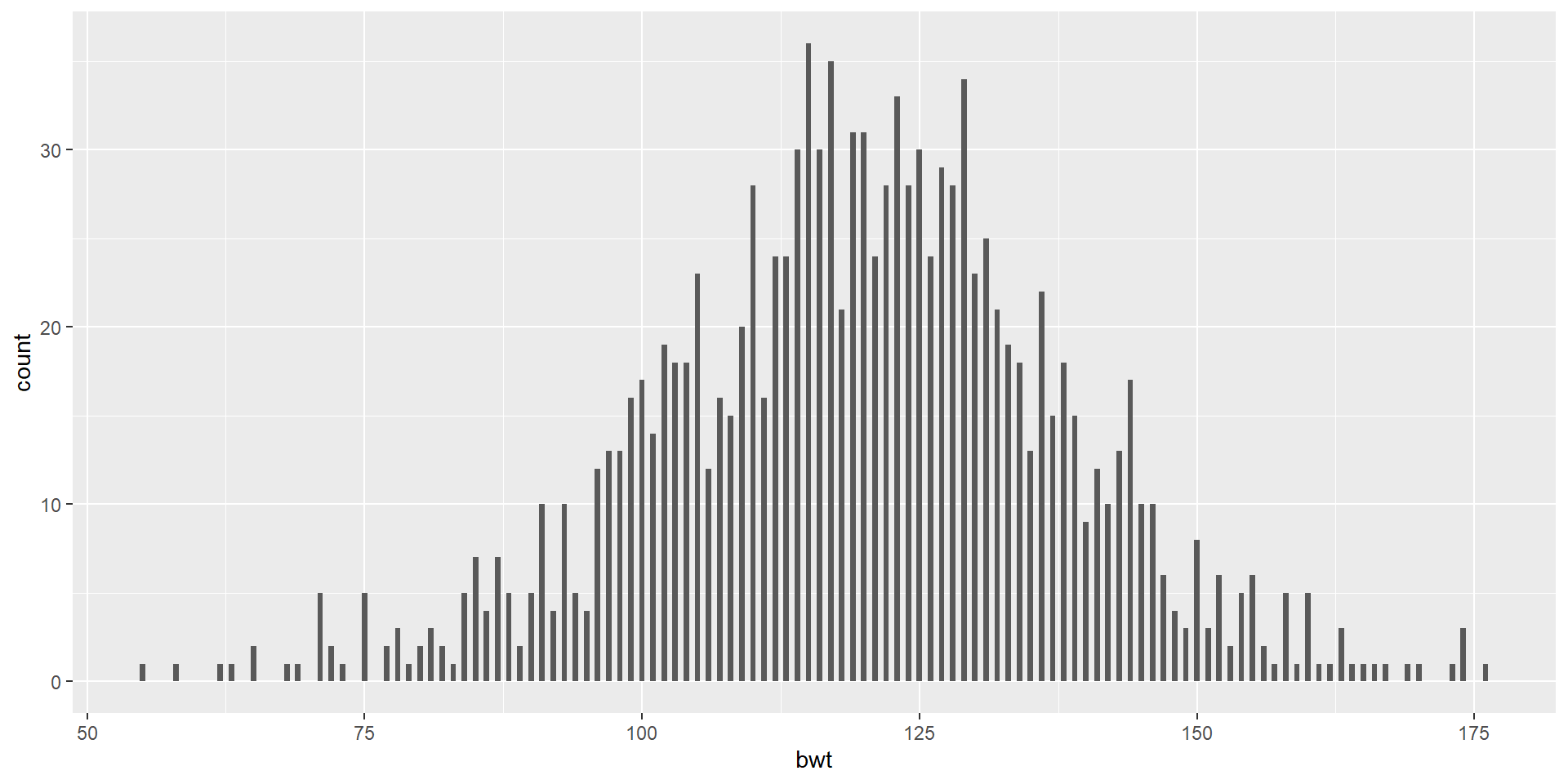
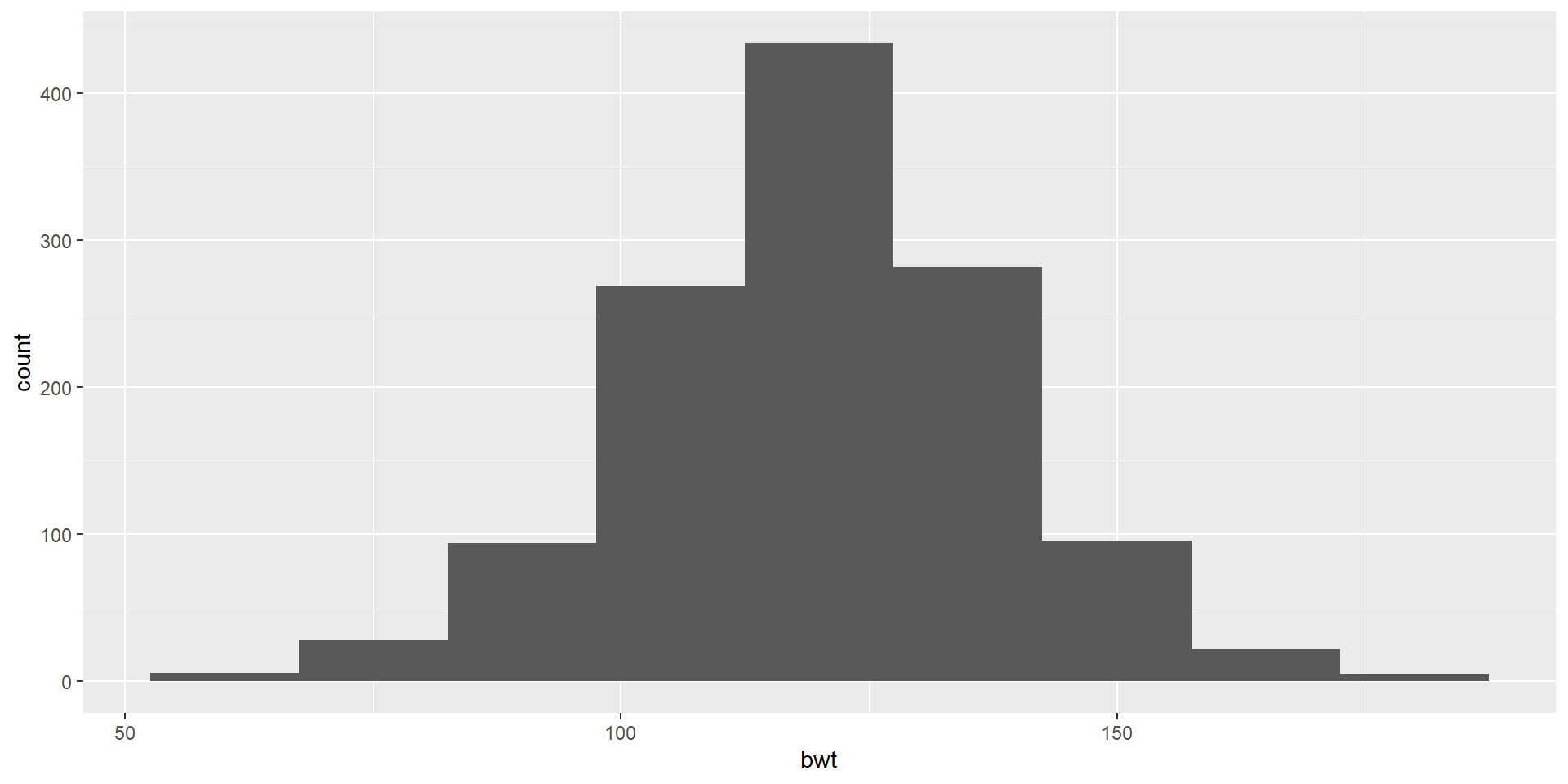
Let’s use bwt variable which is a numeric variable indicating birth weight in ounces
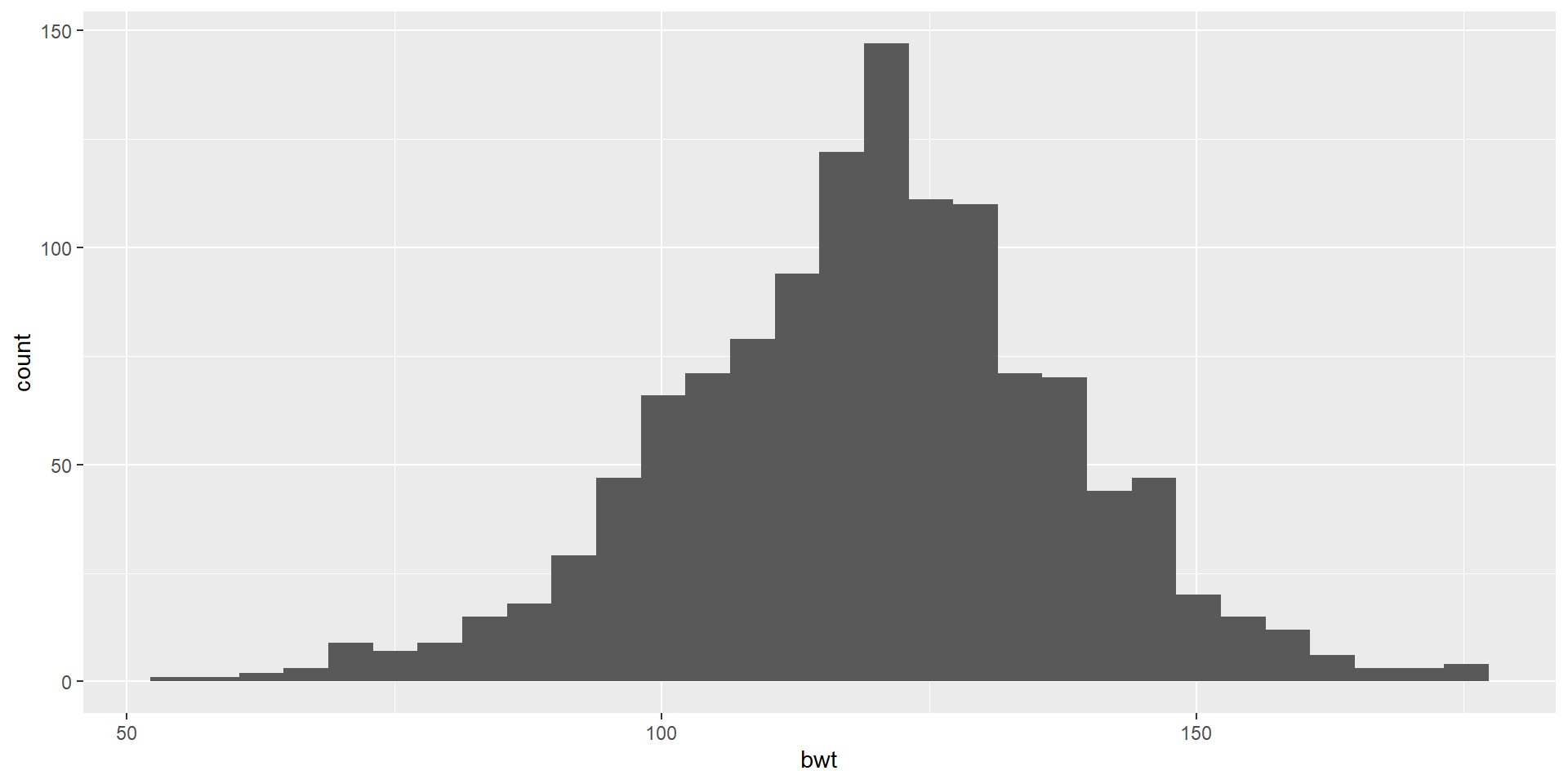
ggplot(data = babies,
       aes(x = bwt)) +
  geom_histogram()

Histogram

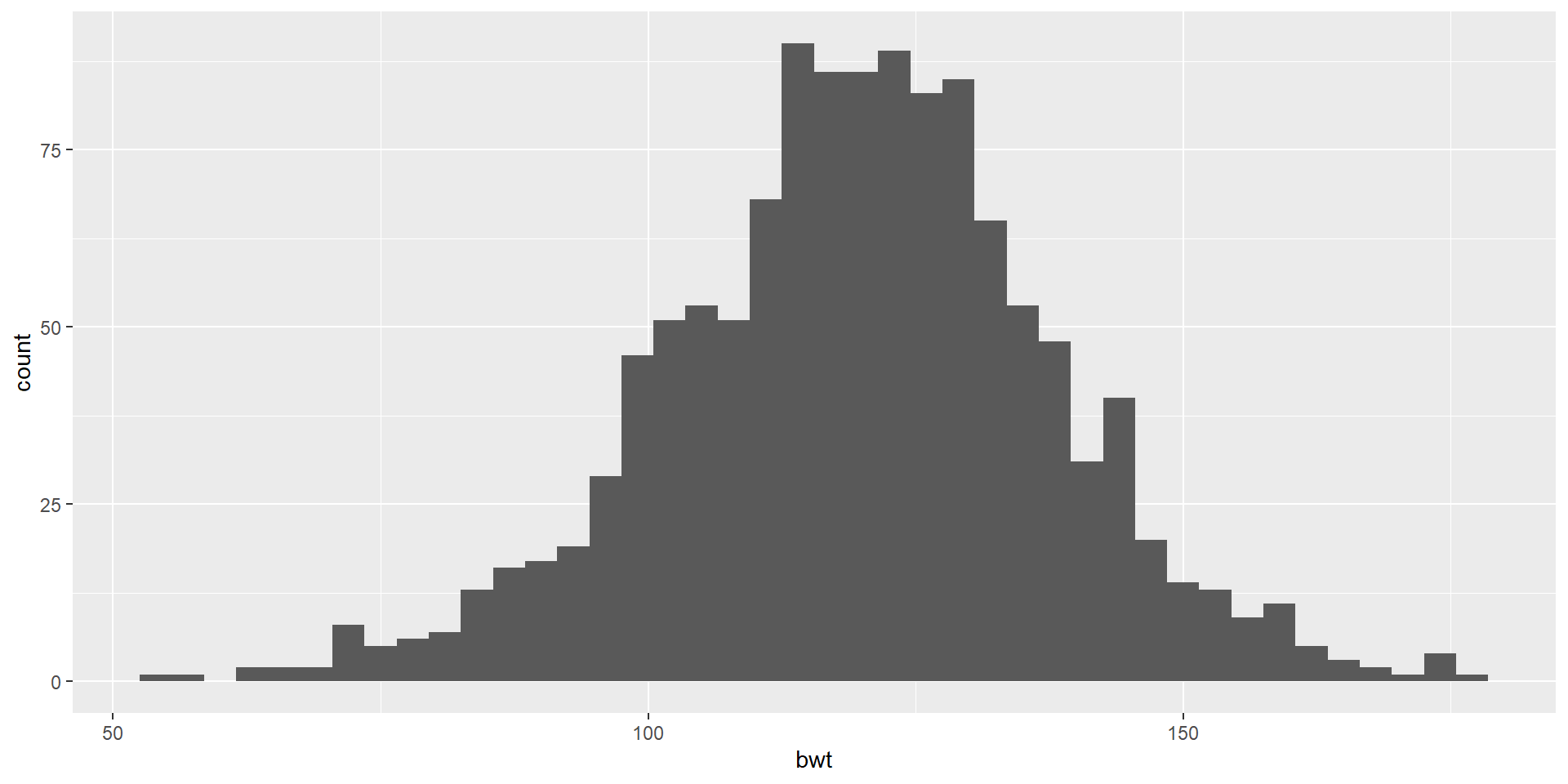
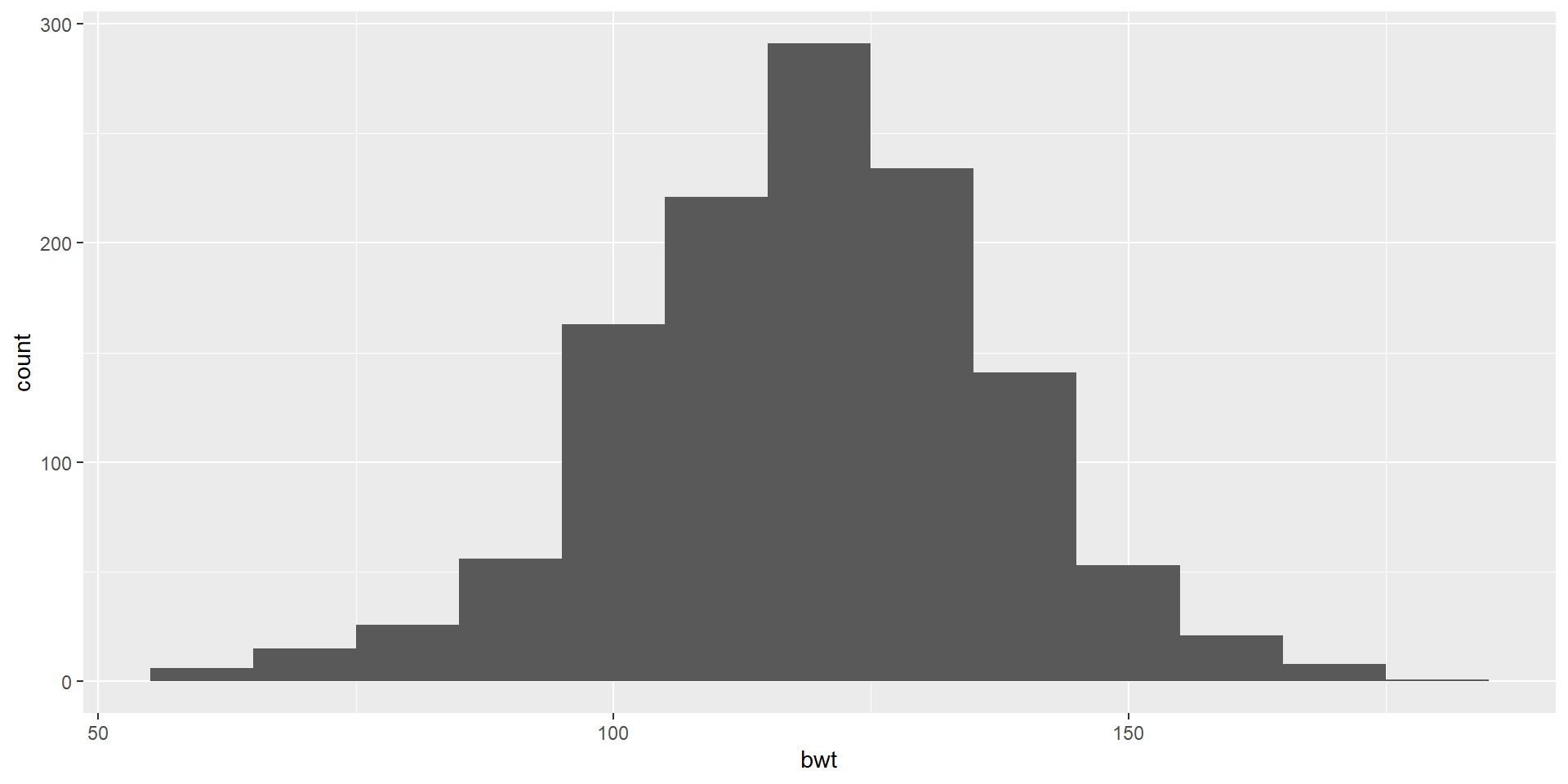
Let’s use bwt variable which is a numeric variable indicating birth weight in ounces
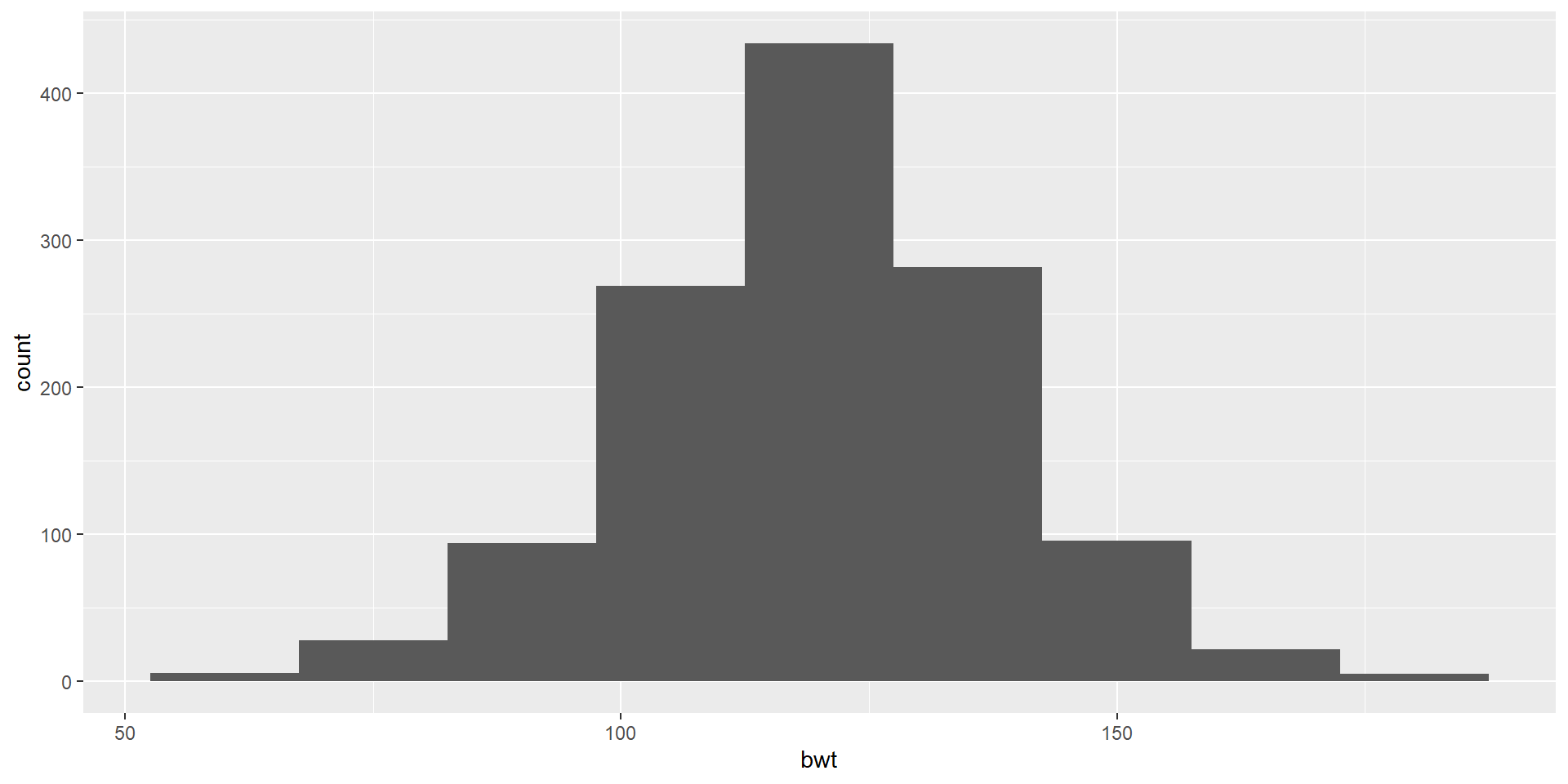
ggplot(data = babies,
       aes(x = bwt)) +
  geom_histogram(binwidth = 15)

A Colorful Histogram

Let’s use bwt variable which is a numeric variable indicating birth weight in ounces
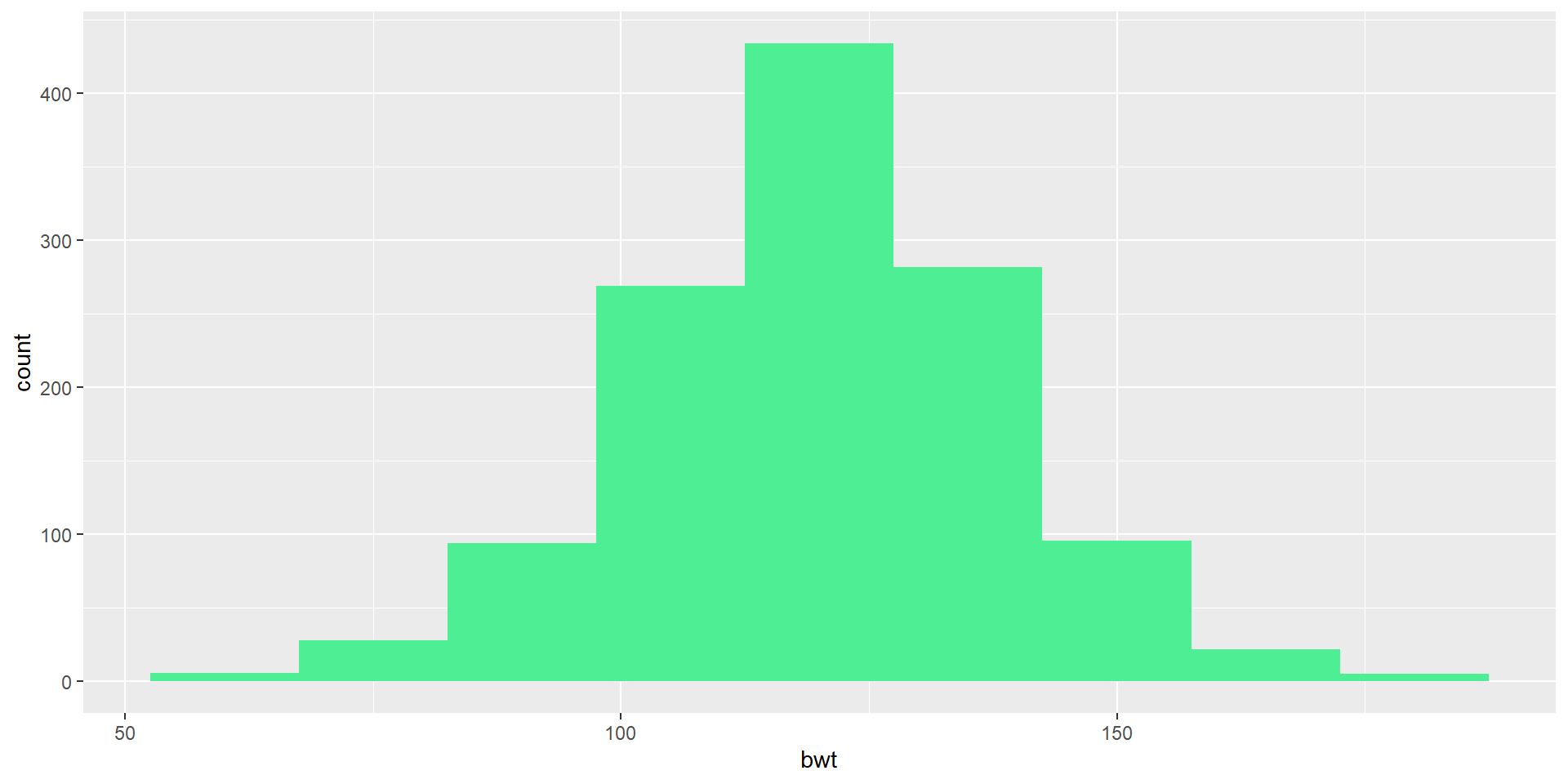
ggplot(data = babies,
       aes(x = bwt)) +
  geom_histogram(binwidth = 15, 
                 fill = "seagreen2")

A Colorful Histogram

Let’s use bwt variable which is a numeric variable indicating birth weight in ounces
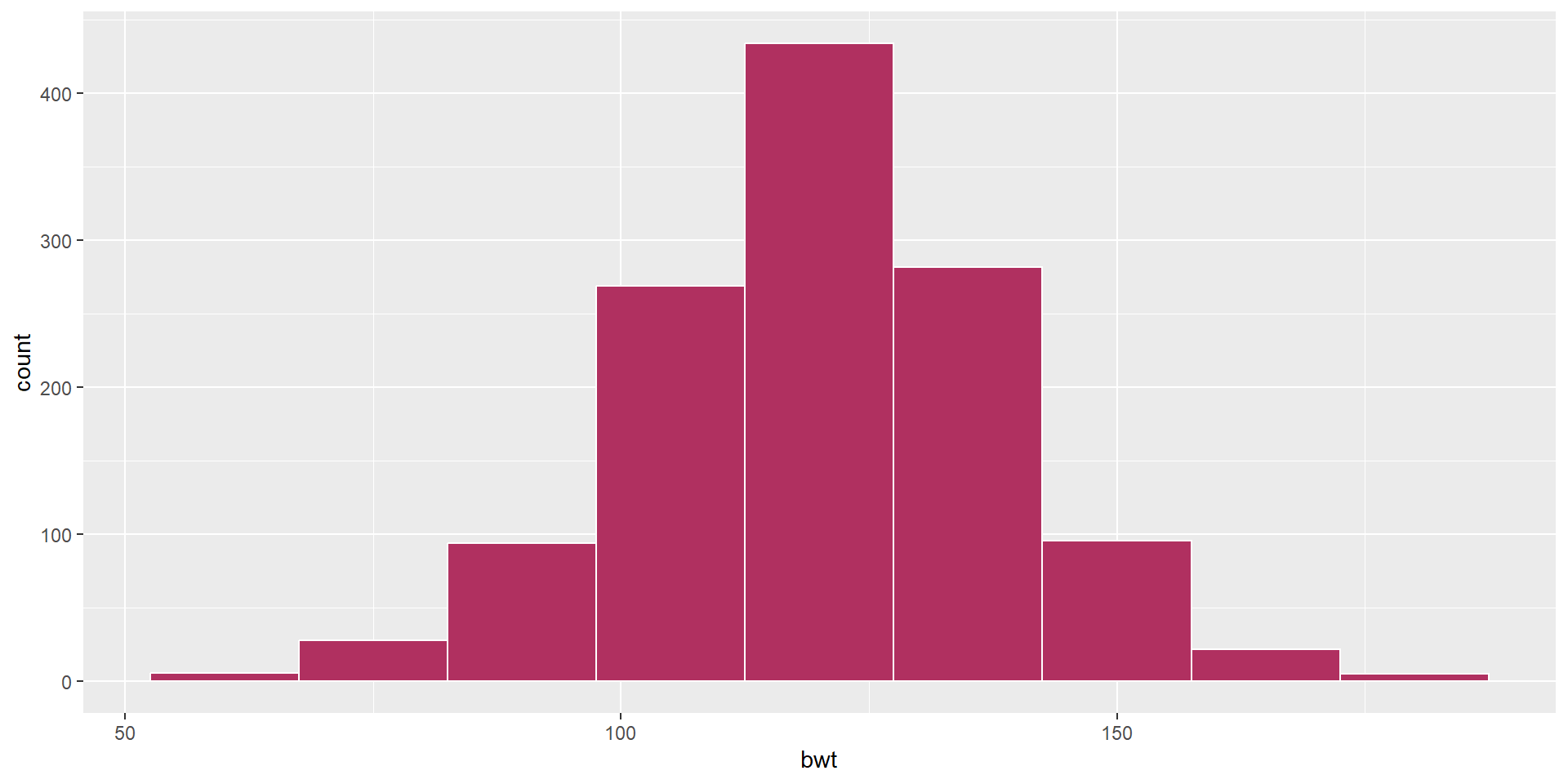
ggplot(data = babies,
       aes(x = bwt)) +
  geom_histogram(binwidth = 15, 
                 color = "white", 
                 fill = "maroon")

Choose your own color

  • Create a ggplot using the babies data frame.
  • Map the bwt to the x-axis.
  • Add a layer of a histogram.
  • Change the binwidth to 15.
  • Color the borders of the bars (bins?) as white.
  • Fill it with a color code named maroon
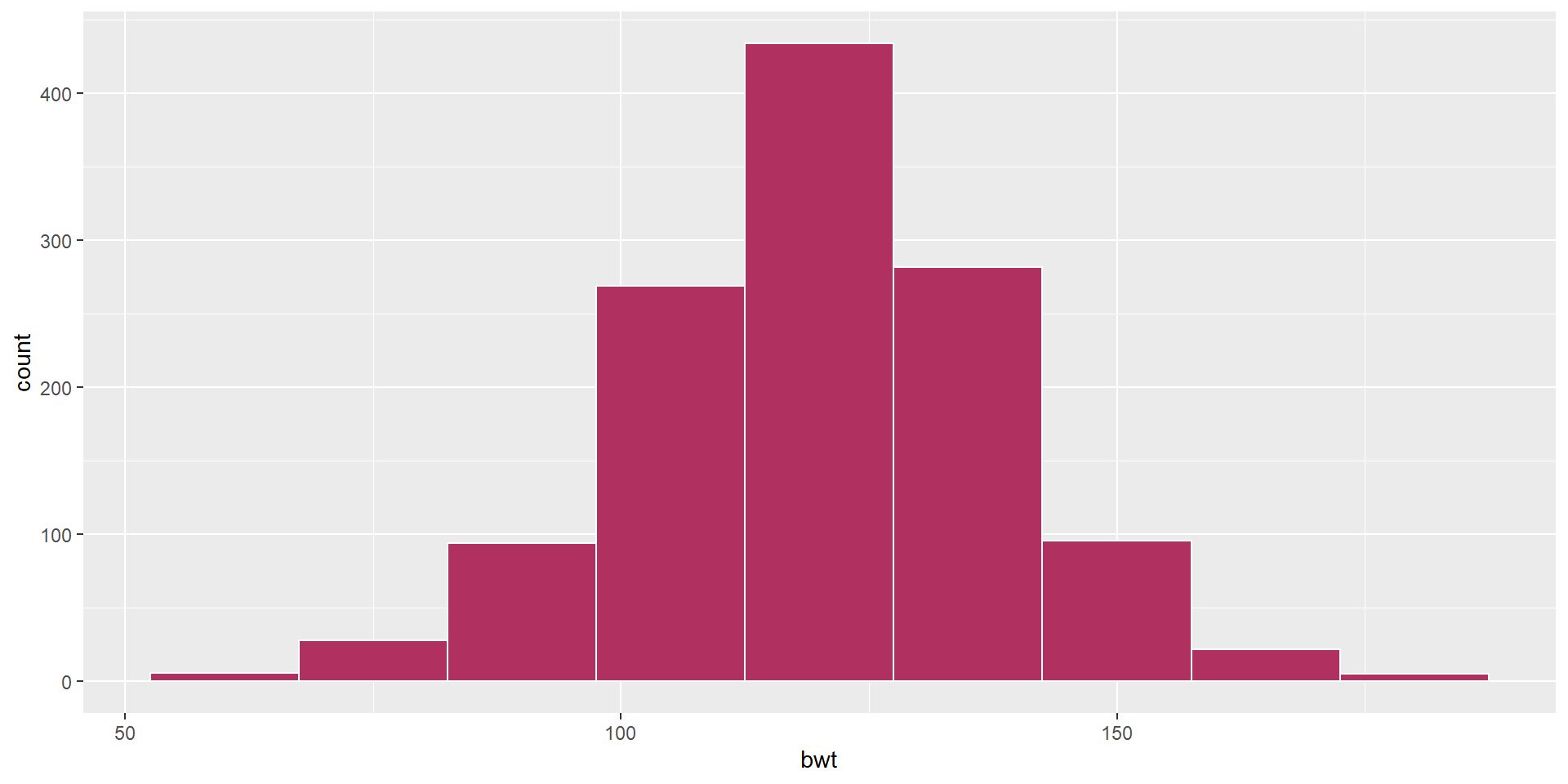
ggplot(data = babies,
       aes(x = bwt)) +
  geom_histogram(binwidth = 15, 
                 color = "white", 
                 fill = "maroon")

Visualizing Two Categorical Variables

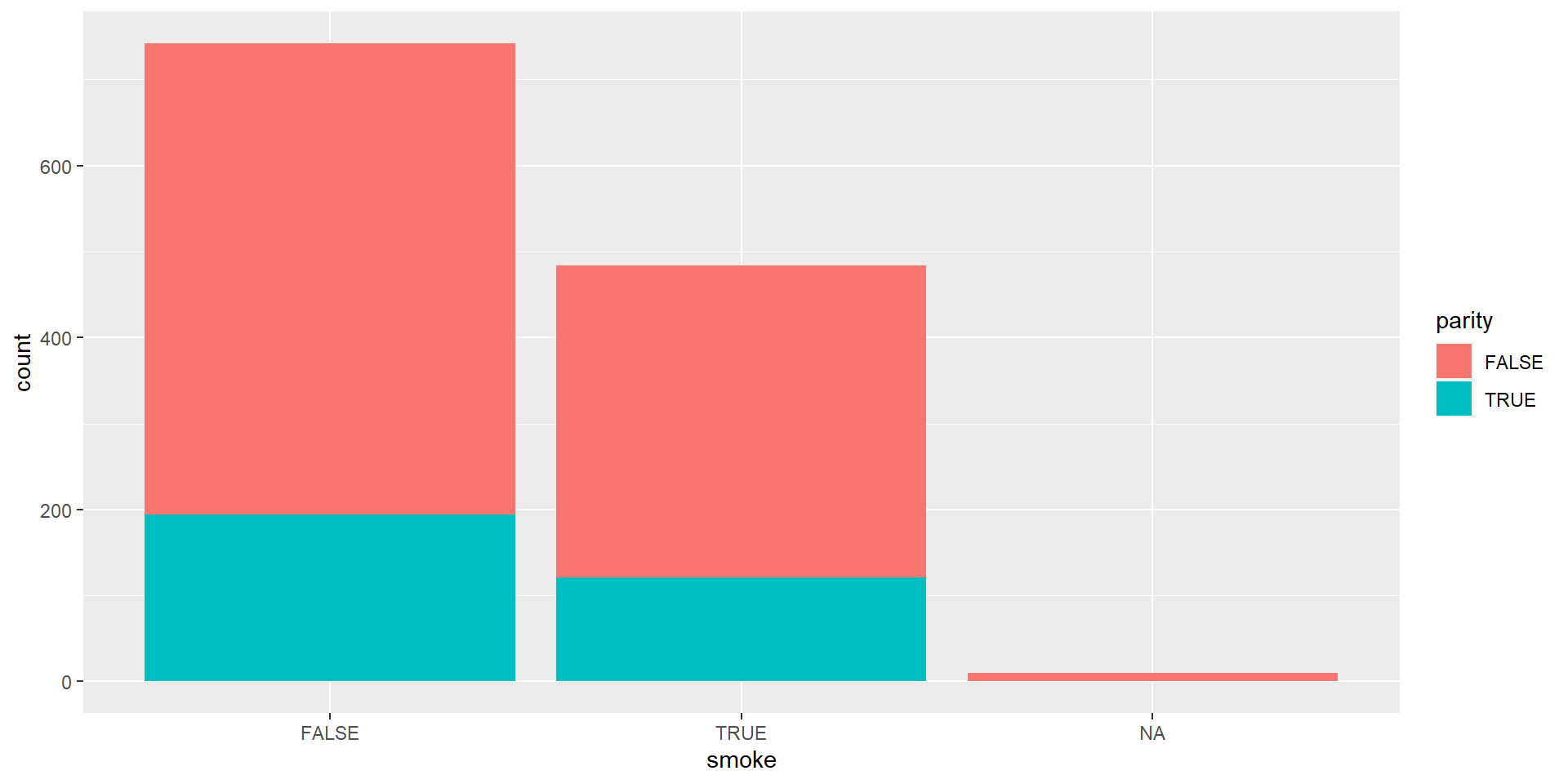
Stacked Bar-Plot

ggplot(data = babies,
       aes(x = smoke, 
           fill = parity)) +
  geom_bar()

We are using the variables of parity: binary indicator for a first pregnancy and smoke: binary indicator for whether the mother smokes.

Standardized Bar Plot
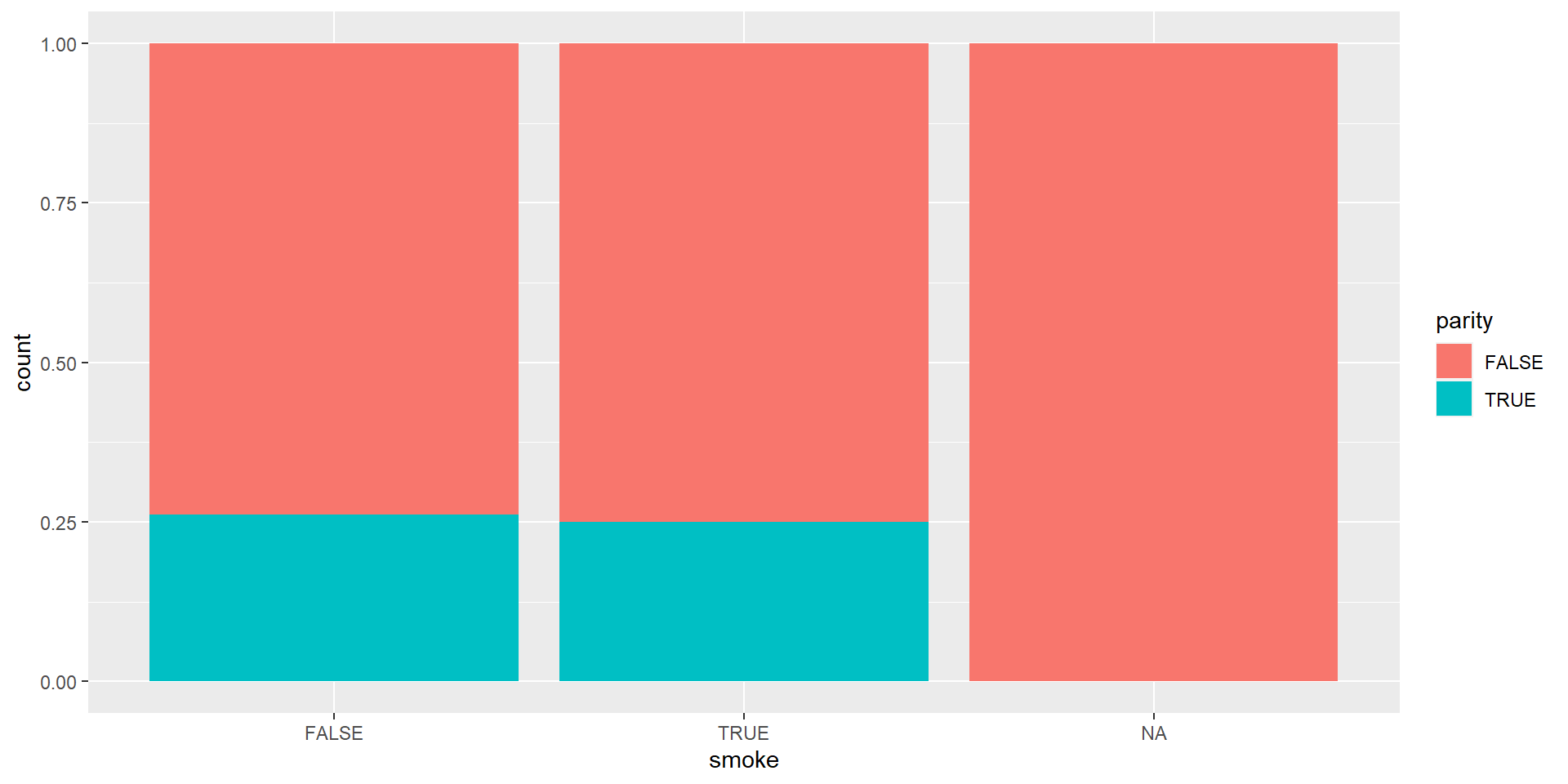
ggplot(data = babies,
       aes(x = smoke, 
           fill = parity)) + 
  geom_bar(position = "fill")

Now we will try to fill the y-axis as if it is something look like percentage which is called Standardized Bar Plot. Note that y-axis is no longer count but we will learn how to change that later.

Dodged Bar Plot
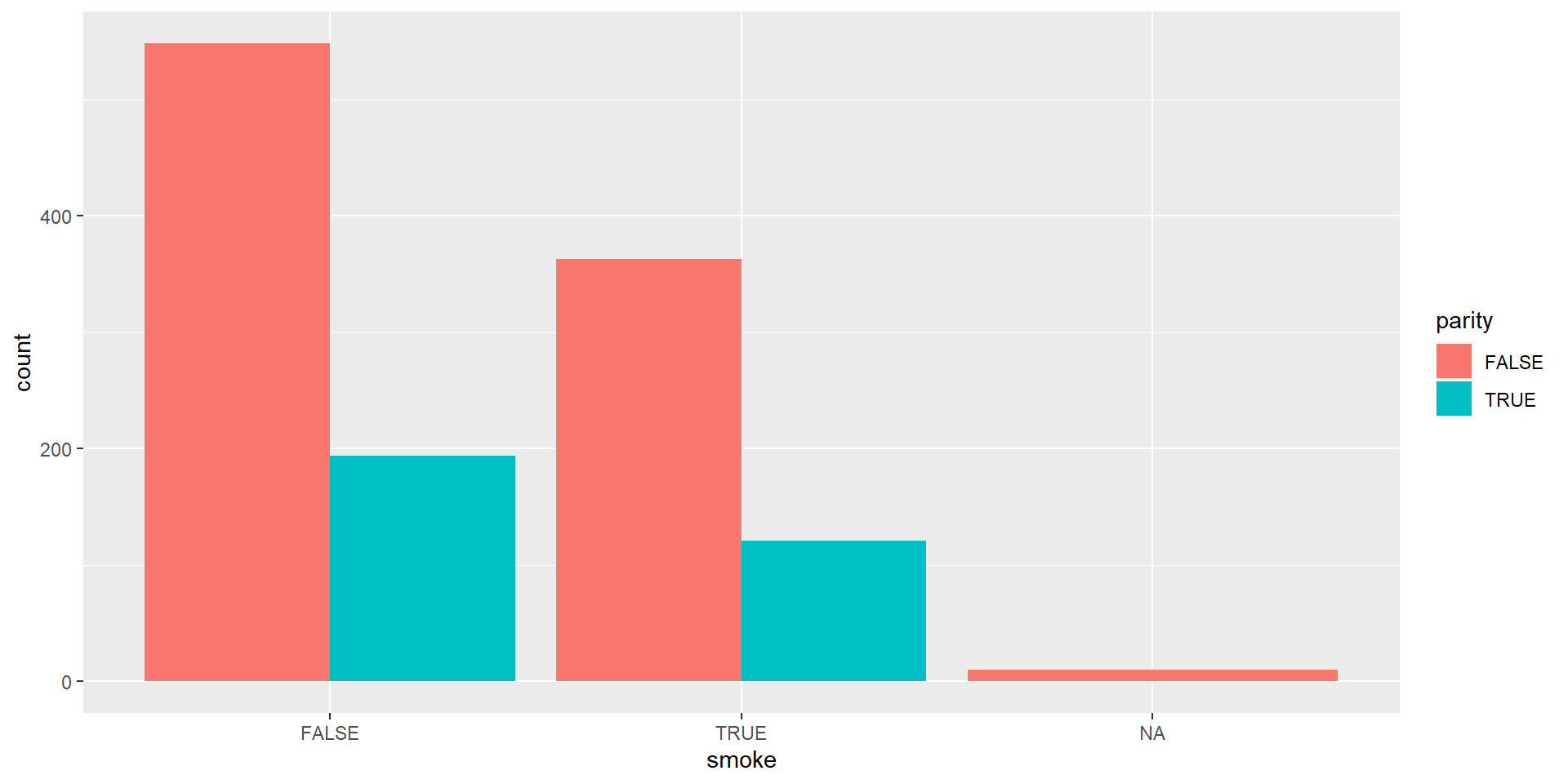
ggplot(data = babies,
       aes(x = smoke, 
           fill = parity)) + 
  geom_bar(position = "dodge")

Visualizing One Categorical and One Numeric Variable

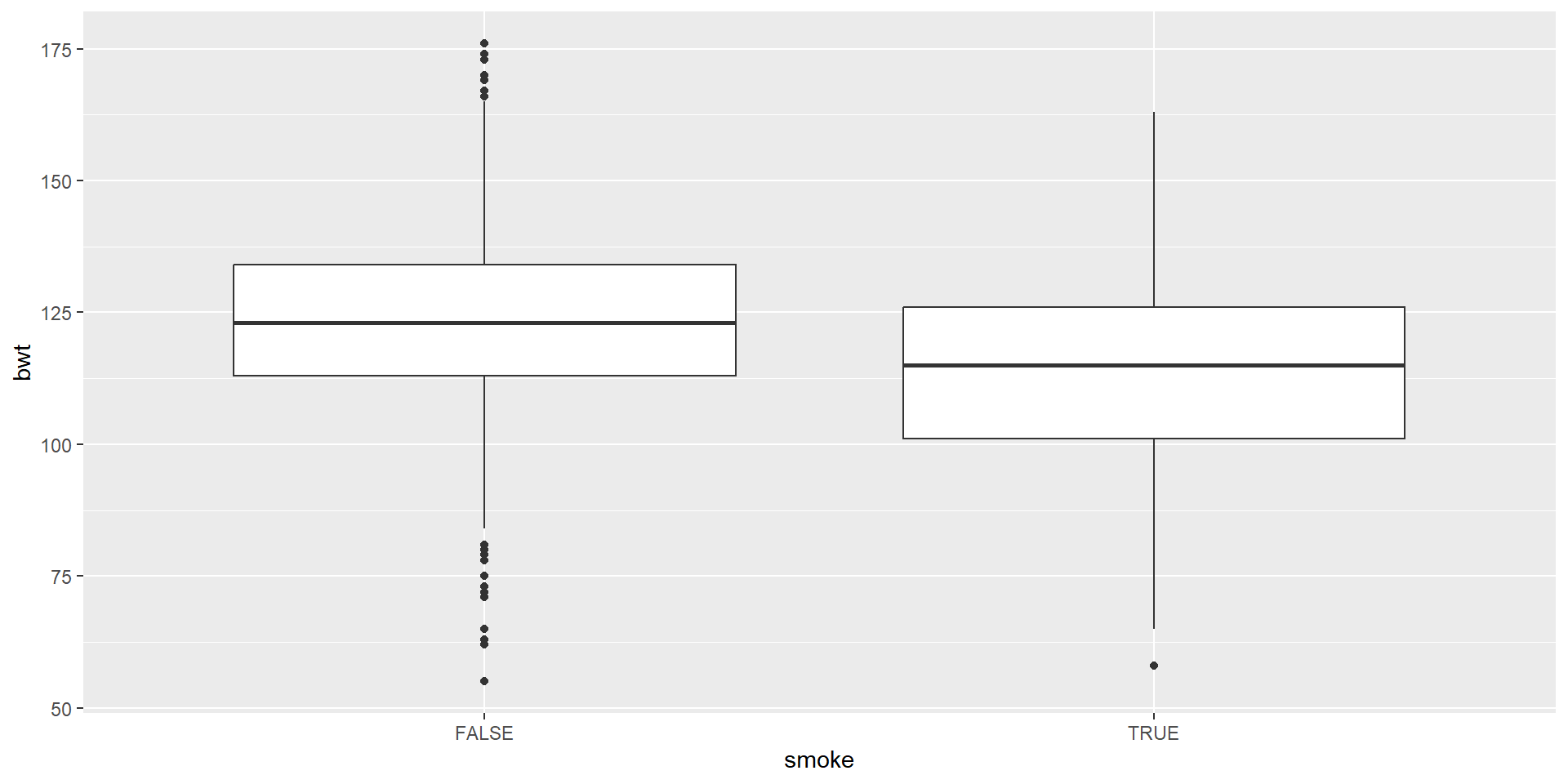
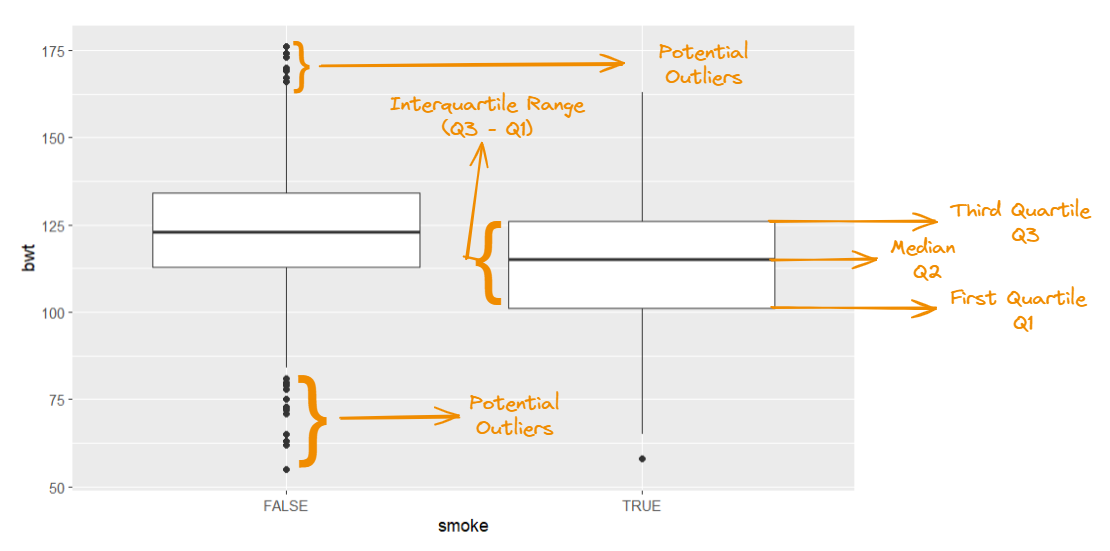
Boxplot

ggplot(data = na.omit(babies),
       aes(x = smoke,
           y = bwt))  +
  geom_boxplot()

We are visualizing a single numerical and single categorical variable by using geom_boxplot

Anatomy of A Boxplot
Visualizing Two Numerical Variables

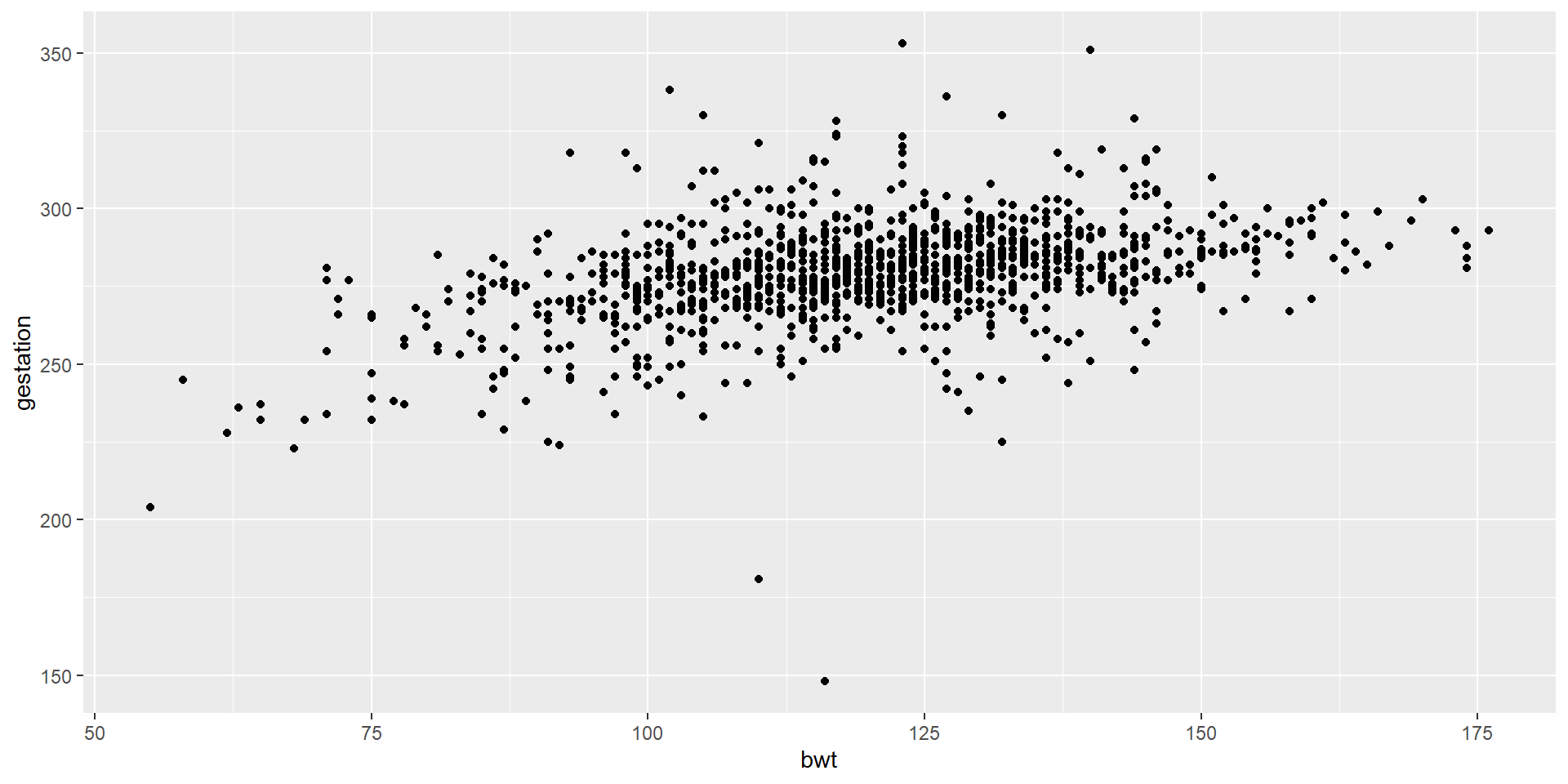
Scatterplot

ggplot(data = babies,
       aes(x = bwt,
           y = gestation))  +
  geom_point()

Visualizing More Than Two Variables

Let’s Try This

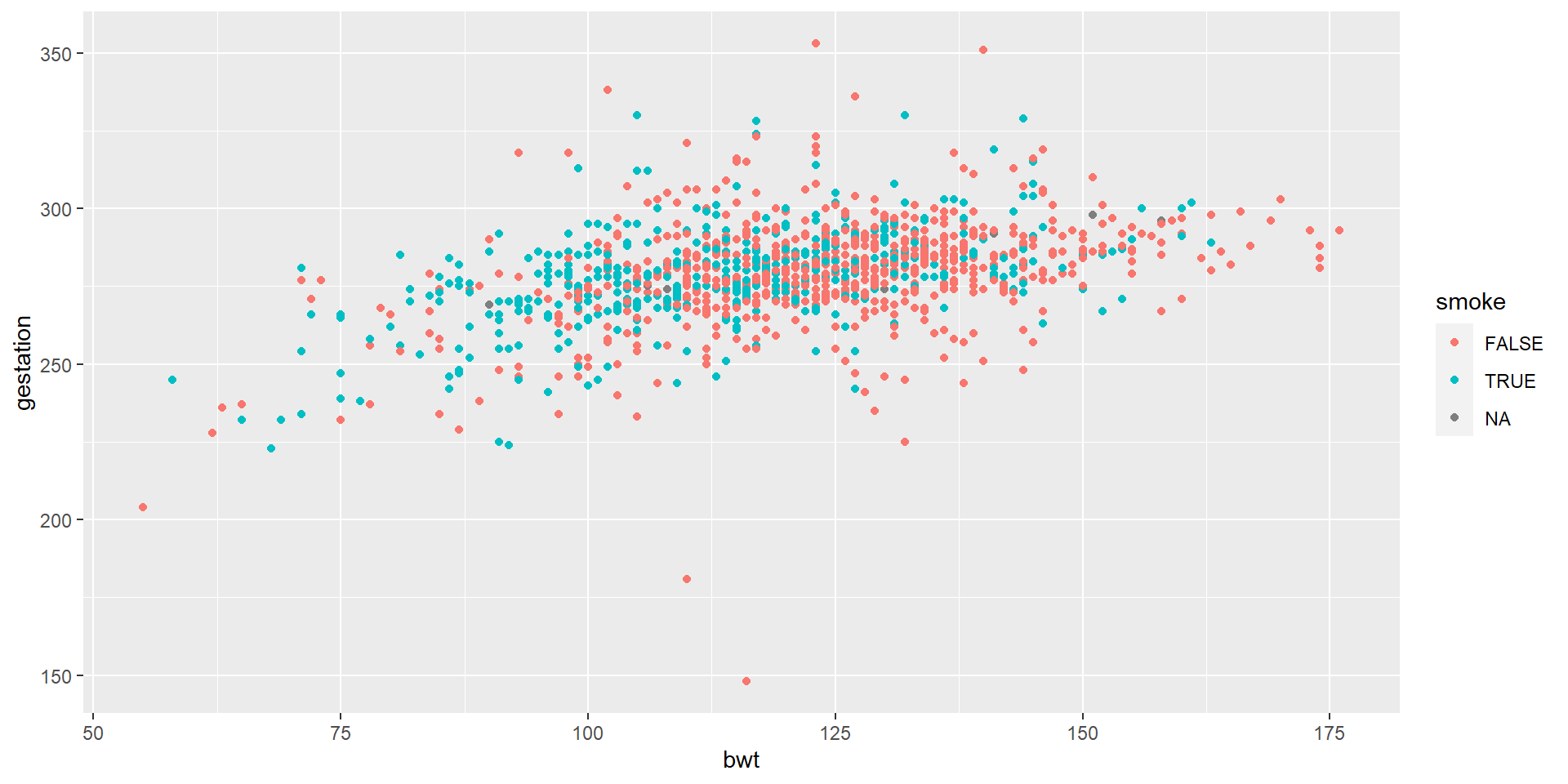
ggplot(data = babies,
       aes(x = bwt,
           y = gestation,
           color = smoke)) +
  geom_point()

We colored continuous variables by smoke

And Then…
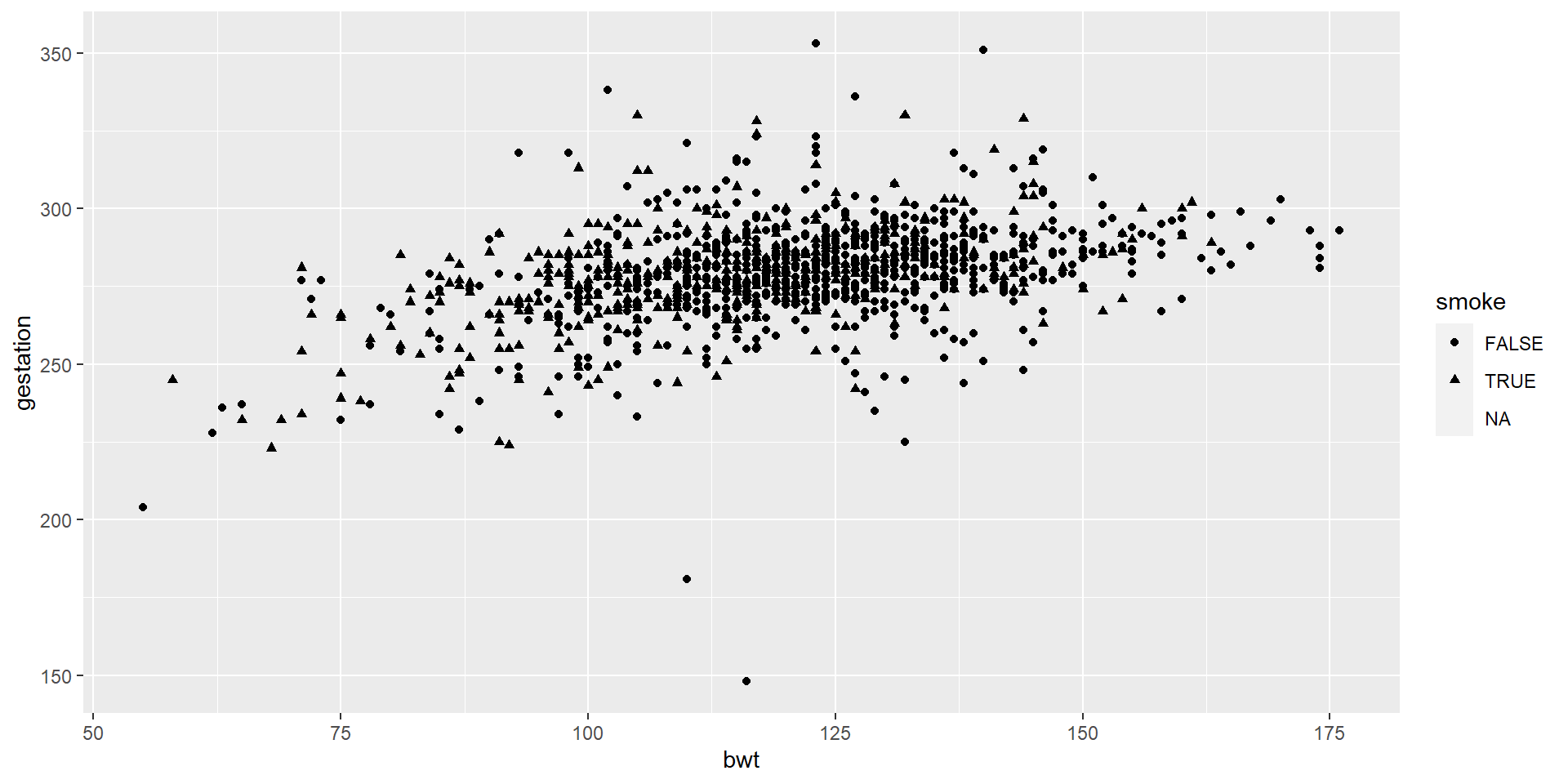
ggplot(data = babies,
       aes(x = bwt,
           y = gestation,
           shape = smoke)) +
  geom_point()

We put different shapes for continuous variables by smoke.

And Then…
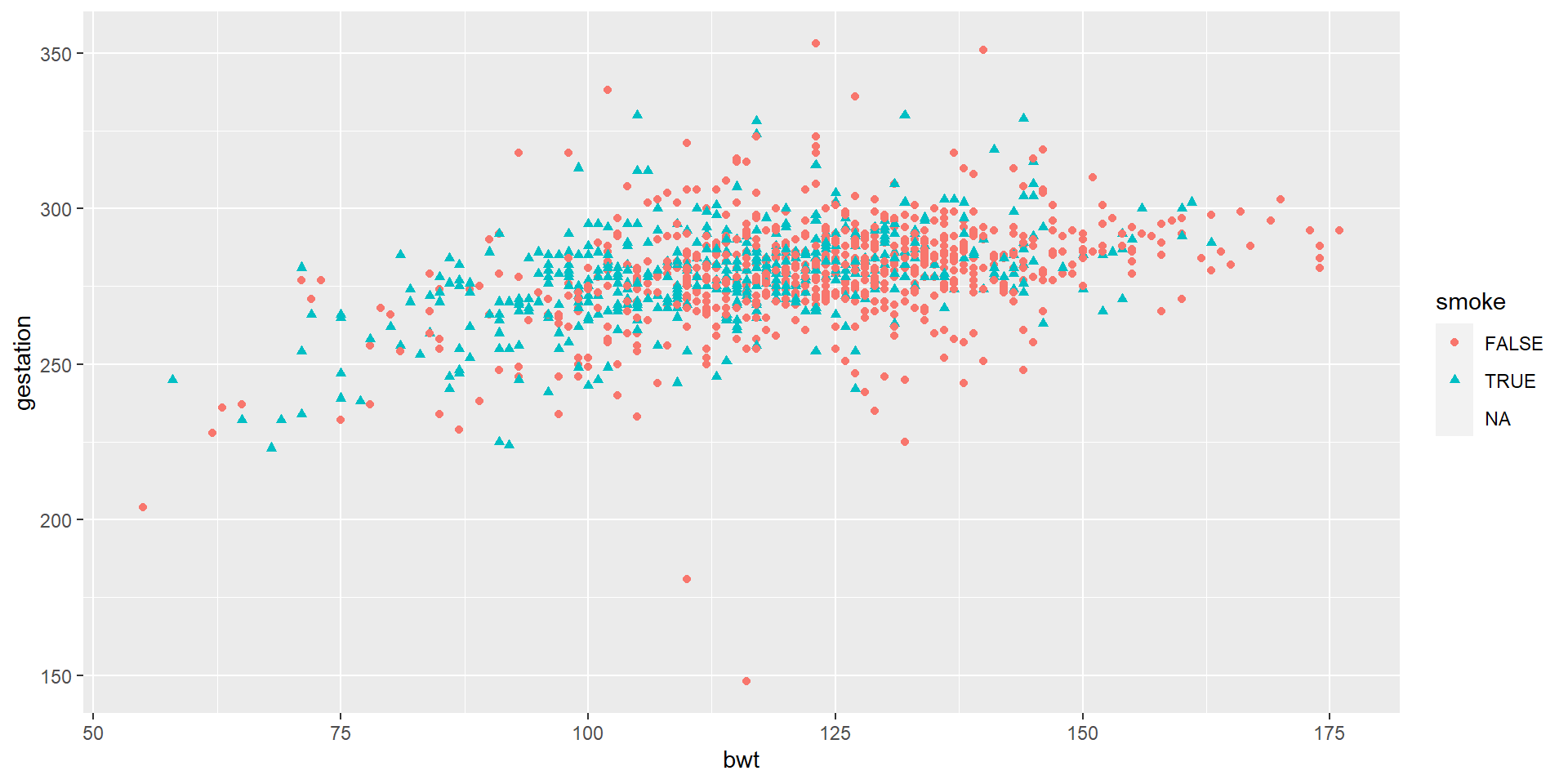
ggplot(data = babies,
       aes(x = bwt,
           y = gestation,
           shape = smoke,
           color = smoke)) +
  geom_point()

Now, we apply both different shapes and different colors.

More on ggplot
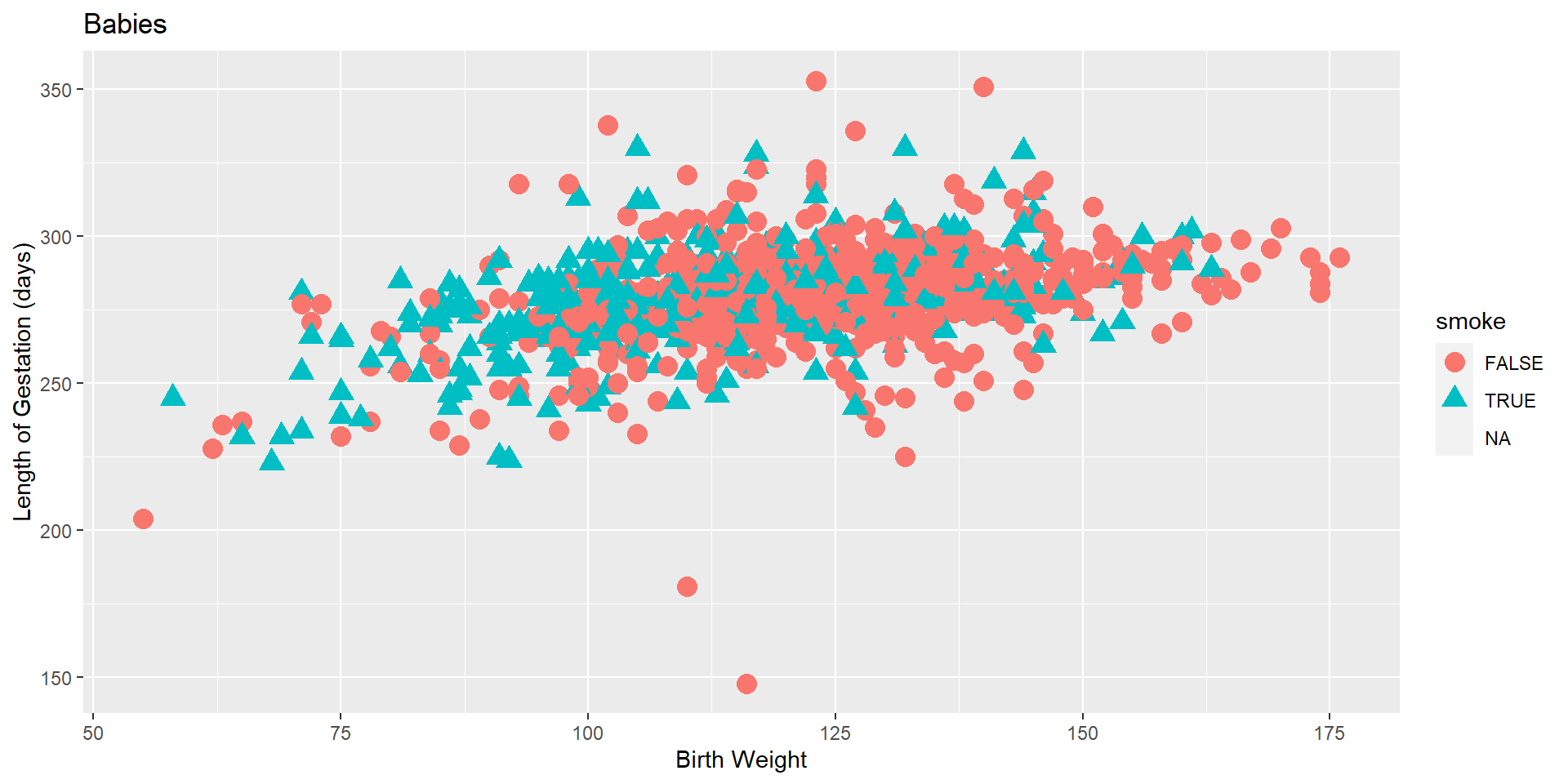
ggplot(data = babies,
       aes(x = bwt,
           y = gestation,
           shape = smoke,
           color = smoke)) +
  geom_point(size = 4) +
  labs(x = "Birth Weight",
       y = "Length of Gestation (days)",
       title = "Babies")

Let’s use labs() function to increase its readability.

And then…
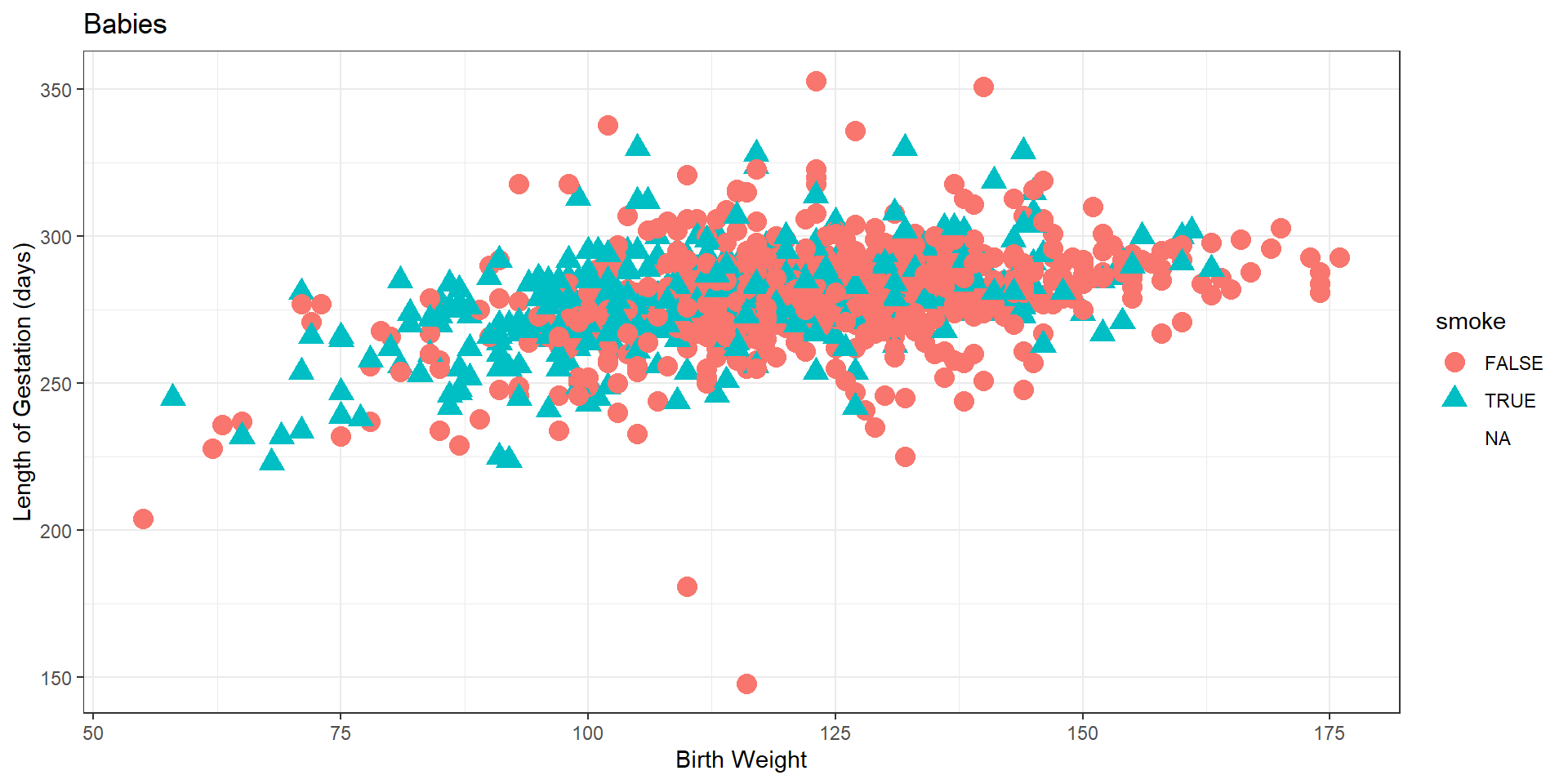
ggplot(data = babies,
       aes(x = bwt,
           y = gestation,
           shape = smoke,
           color = smoke)) +
  geom_point(size = 4) +
  labs(x = "Birth Weight",
       y = "Length of Gestation (days)",
       title = "Babies") +
  theme_bw()

We added another layer called theme_bw(). This function is about the background, the size of the text etc.

And then…
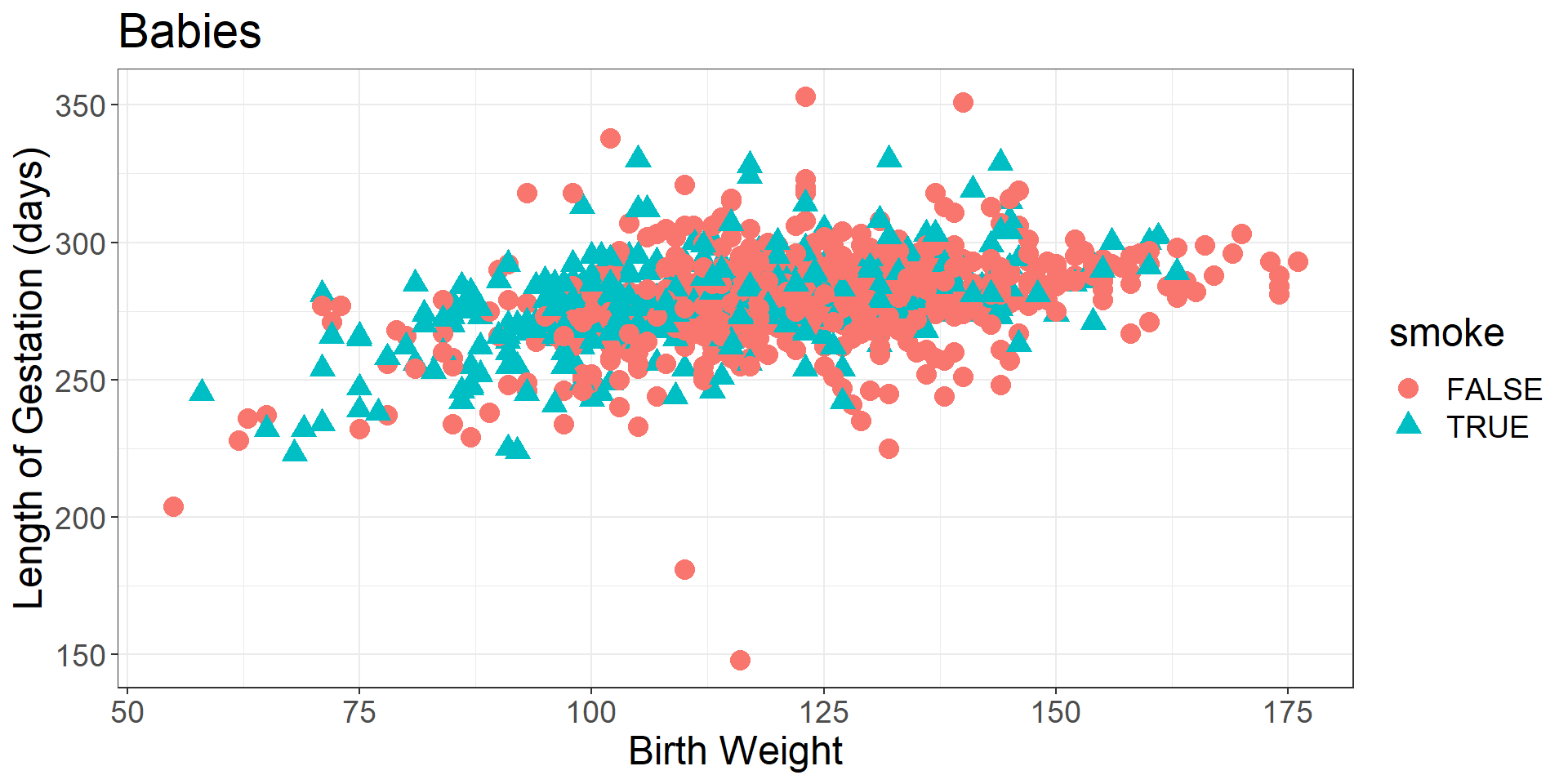
ggplot(data = na.omit(babies),
       aes(x = bwt,
           y = gestation,
           shape = smoke,
           color = smoke)) +
  geom_point(size = 4) +
  labs(x = "Birth Weight",
       y = "Length of Gestation (days)",
       title = "Babies") +
  theme_bw() +
  theme(text = element_text(size=18))

Now, we elaborated this function a little bit more and omit the NA values.

Examples

How Common Is Your Birthday?

One Dataset Visualized 25 Ways

Mandatory Paid Vacation

Why are K-pop groups so big? (try Firefox)

We will only touch the surface of data visualization in this class. It is a rich field.