Hello R, This Is Me!

STAT 218 - Week 1, Lab 1

January 11th, 2024

Today’s Menu

Today we will learn

  • What is R?
  • What is RStudio?
  • What is Quarto?
  • Panes in RStudio
  • First Coding Experience
    • Hello World!
    • Creating an Object
    • Running some functions
  • How to Get Help
  • How to Install a Package

R and RStudio

R logo

Hadley Wickham and others at RStudio, CC BY-SA 4.0, via Wikimedia Commons


RStudio logo flat

RStudio, Inc., Public domain, via Wikimedia Commons

  • R is a computer language.

  • R is an environment for statistical computing and graphics.

    • R provides a wide variety of statistical and graphical techniques.
  • R is a free open source software


  • RStudio is an integrated development environment (IDE) for R
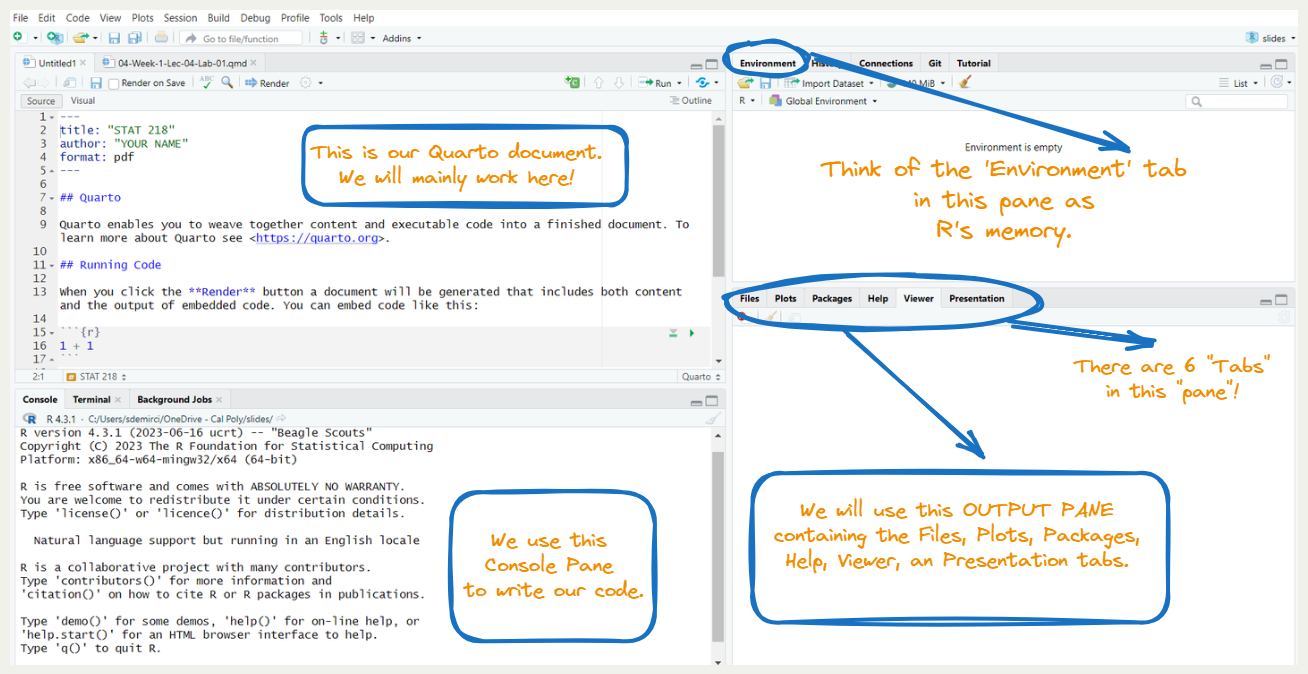
  • RStudio has four main panes each in a quadrant of your screen

What Can We Do with RStudio?


Everything we need to do for this class and beyond!

What is Quarto Document?

Quarto is…

  • an open-source scientific and technical publishing system
  • a multi-language, next-generation version of R Markdown.
  • enabling you to combine code and text to create rich outputs, like reports and presentations. (like an advanced version of a word processing tool)

Important

  • R is the programming language for statistical computing
  • RStudio is the IDE that facilitates R programming
  • Quarto document is a document type that combines text and code
  • In short, we will create Quarto documents in RStudio and we will use text and R codes in that Quarto document.

Creating a Quarto Document


  • We will use Quarto to produce (render!) PDF documents for our lab assignments, take-home midterm, and final project where we integrate both text and code.

Tip

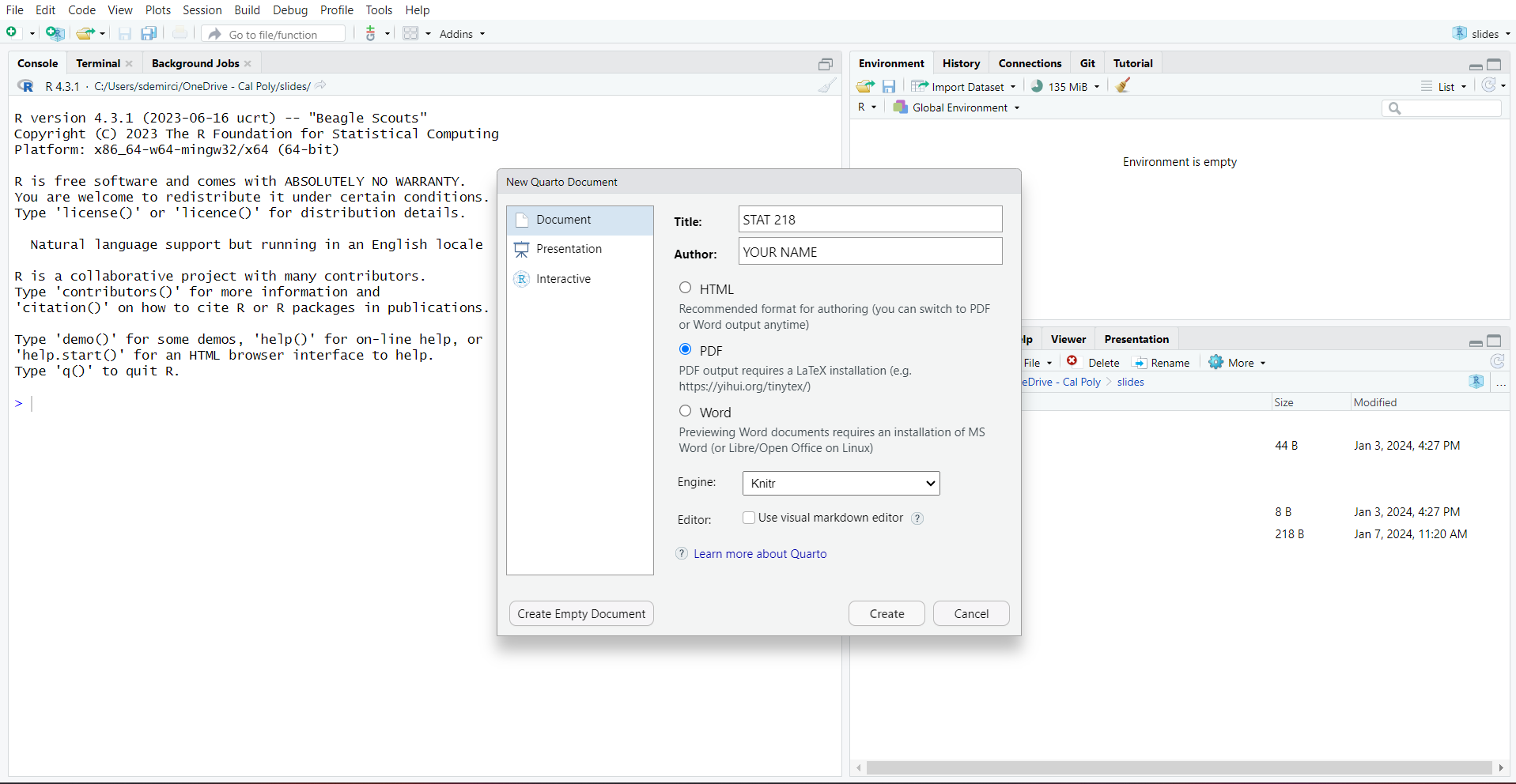
  • You can create your own Quarto document by clicking File > New File > Quarto Document

  • Let’s try to create our first Quarto document!

Creating a Quarto Document

Pane Layout in RStudio

How to Create a New Quarto Document

Console Pane

  • This week, we will use Console Pane to grasp the basics of coding.
    • Next week, we will use Source Pane to delve into Quarto document features.

Say, Hello World!

  • hello world is a phrase that most programmers use when they first begin programming in any language.
    • Let’s write our first “hello world!” in the Console Pane together.
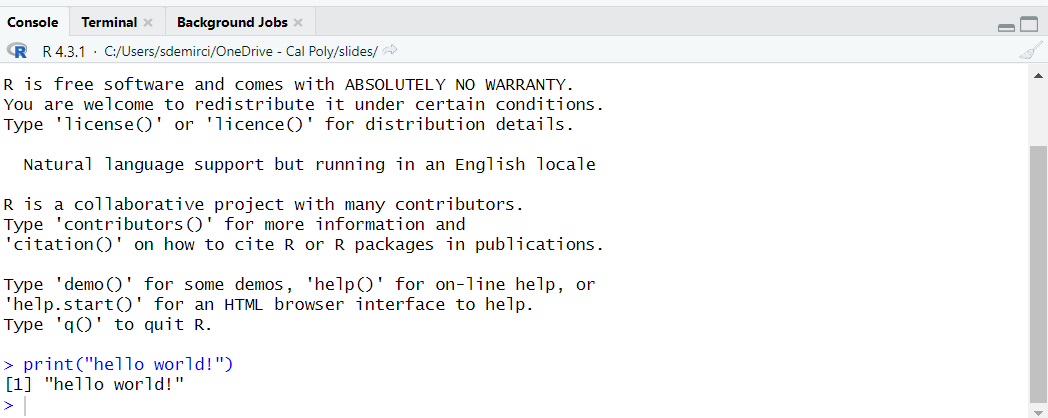
print("hello world!")

Let’s Create An Object


We create an object by using “<-” called as “Object Assignment Operator”


Windows Mac
Shortcut Alt and - Option and -


wedding_year <- 2006
wedding_year
[1] 2006

Let’s Create An Object and Play


wedding_year <- 2006
wedding_year
[1] 2006


wedding_anniversary <- 2023 - wedding_year
wedding_anniversary
[1] 17


wedding_Anniversary
Error in eval(expr, envir, enclos): object 'wedding_Anniversary' not found

As you can see, R is case-sensitive!

Vocabulary Section

do(something)

do() is a function;

something is the argument of the function.

do(something, colorful) # I can put here a comment by using hashtag

do() is a function;
something is the first argument of the function;
colorful is the second argument of the function.

R ignores comments if you put # like above


I love Dr. Dogucu’s teaching strategy to teach students the basics of coding. This is how she explains the idea of coding. I am using some of her strategies during this session.

Let’s try some functions!

wedding_years <- c(2006, 2020, 1984)
wedding_years
[1] 2006 2020 1984


wedding_years <- c(wedding_year, 2020, 1984)
wedding_years
[1] 2006 2020 1984

Let’s try some functions!

names <- c("Me", "My Sister", "My Parents")
names
[1] "Me"         "My Sister"  "My Parents"


data.frame(name = names, wedding_year = wedding_years)
        name wedding_year
1         Me         2006
2  My Sister         2020
3 My Parents         1984

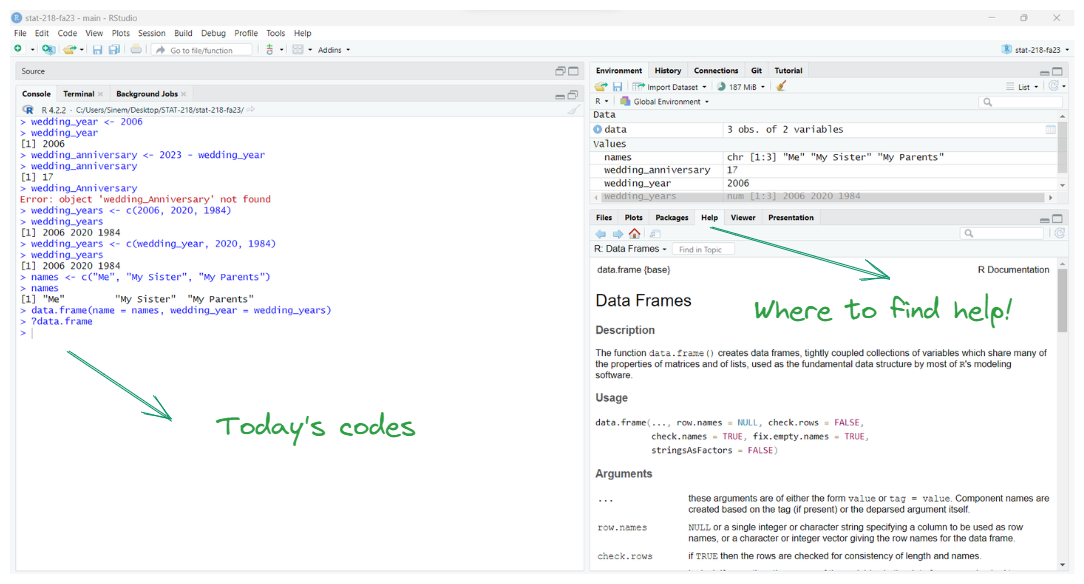
What if Dr. Demirci is not around & I need help?
How Can I Install a Package and Use It?

  • R users can create/contribute packages, and they are for free!

  • For this lab, and many others in the future, we will use the following:

    • The tidyverse “umbrella” package which has many different R packages for data wrangling and data visualization
    • The openintro R package is our second textbook’s package and we will use this for our lab sessions.
    • Let’s download them!
install.packages("tidyverse")
install.packages("openintro")